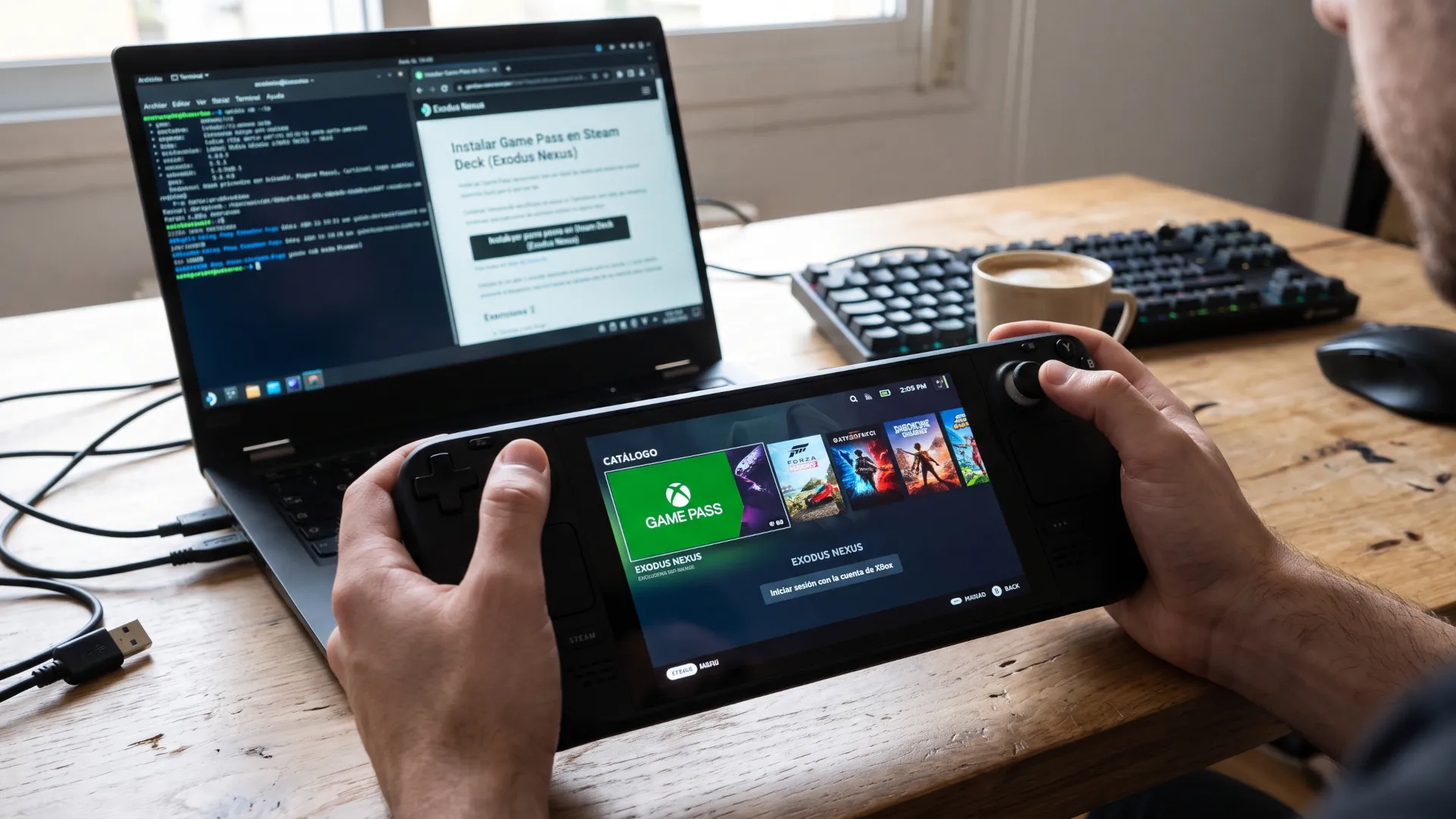
Game Pass on Linux stops being a promise and becomes a step-by-step procedure. The Exodus Nexus launcher, a third-party project, provides access to the Xbox subscription catalog on Linux machines, including SteamOS and Steam Deck, according to the guide that has been circulating since October 27. It is not an official Microsoft application, and that defines both what it offers and its limits.
The proposal solves three problems that until now forced people to improvise. The first is authentication, with Xbox account integration. The second is cloud saves, which allow a game to be continued on another machine. The third is a shared runtime environment, that is, a common base on which games run instead of configuring each one separately.
What it does not solve is universal compatibility. The list of working titles is maintained by the community, and some games are left out due to limitations in the layers that translate Windows calls to Linux. It is the same old wall, with a new door. It is worth separating what is known about the project, what must be checked before installing it, and the limits that no guide makes disappear.
Game Pass in one click on Linux
On Linux, running a Windows game means translating its behavior into something the system understands. That is done with Proton, the layer that Valve maintains, or with the basic version of Wine. Any launcher that promises Game Pass on Linux has to rely on those pieces, and the user ends up configuring versions and settings.
Exodus Nexus packages that work. It installs the necessary components, connects the account and presents a catalog. For those who have spent years wrestling with Wine prefixes, the convenience is real; for those who have never done it, the process still requires more steps than on Windows.
The limitations acknowledged by the guide itself are specific. Individual games cannot be added to the Steam library, and controller customization is limited. That is, it works as a separate application, not as a native integration into Valve's ecosystem.
| Component |
What it provides |
What is missing |
| Account integration |
Xbox sign-in |
No additional subscription benefits |
| Cloud saves |
Continuity between devices |
Depends on the game |
| Shared runtime |
Common base for running titles |
Manual adjustments in difficult cases |
| Compatibility list |
Reference before installing |
Maintained by the community |
| Steam integration |
None |
No games are added to the library |
| Controllers |
Basic support |
Limited customization |
The fine print of the source
A warning is in order before anyone installs anything. The information available about this launcher comes from guides and specialist media, not from a Microsoft or Valve statement, and the project does not have the backing of the companies whose accounts and credentials it handles.
That matters for two reasons. The first is security: a launcher that asks for Microsoft account credentials is a sensitive piece, and its code or reputation should be reviewed before use. The second is continuity: third-party projects can disappear or stop working when the service they wrap changes an API.
Neither of these disqualifies the tool. They simply place the risk where it belongs, with the user and not the platforms. A community launcher is not a supported product: it is a project that works as long as someone maintains it, and that difference should weigh on the decision.
Why is this more interesting than it seems?
Gaming on Linux has advanced along two parallel tracks. One is official, with Proton, SteamOS and the drivers that reach the kernel. The other is community-driven, with launchers, scripts and compatibility lists maintained by volunteers.
The official route has made the difficult possible: a Windows game running with a single click. The community route has filled the gaps the official one does not cover, which tend to be third-party stores and subscription services. Game Pass is the most visible case, because Microsoft has no incentive to make its catalogue easy to use on a platform it does not control.
That balance has produced measurable results. Valve has turned Steam Deck into a success and has pushed studios to verify their games on Linux. We covered this when analysing the mainline support for Steam Frame in kernel 7.4, where the logic is the same: the more support there is at the base, the less everything depends on a private patch.
What this does not fix
The underlying problem is that the subscription isn't designed for Linux. Games are released on the Microsoft Store or in the Xbox client, and everything around them, from updates to anticheat checks, assumes Windows.
That is where the real walls still stand. A game with kernel-level anticheat that doesn't support Linux won't work no matter how many times the launcher lists it, and that is why popular titles are left out. The Fortnite case showed it clearly: the arrival of anticheat on Linux was not a gesture of goodwill, it was a decision with technical and security conditions.
The second wall is performance. Proton has improved to levels that seemed impossible five years ago, and it still depends on the game. Some run the same as on Windows; others lose ten percent and others break with every driver update.
How to try it without regrets?
If you are going to try it, the sensible order is to start with one of the games listed as tested in the community list, not with the heaviest title in the catalogue. And do it in a secondary installation or a separate profile, so you don't have to undo changes on the main system.
It is also worth checking which credentials will be entered and whether the account has two-factor authentication. A third-party launcher that stores the session in a configuration file is an interesting target for any malware, and this kind of project usually has no security team behind it.
Finally, the right expectation is that of an intermediate solution. It works, it solves a real need and it does not turn Linux into an Xbox console. Anyone using it must accept that they are using a bridge, and bridges hold up as long as someone maintains them.