In this article we show you how to use and master VS Code from scratch. We teach you how to squeeze the most out of the code editor preferred by software developers.
There was a time when choosing a development environment was a statement of principles, almost a religious affiliation. In one corner of the ring, terminal veterans dueled in defense of the minimalist, purist efficiency of Vim or the infinite extensibility of Emacs.
In the other corner, those seeking raw power took refuge in the mammoth commercial Integrated Development Environments (IDEs), such as the JetBrains suite or the classic Visual Studio. However, in 2015, Microsoft did something unthinkable: releasing a lightweight, free and open source code editor called Visual Studio Code (VS Code).
A decade later, fragmentation has given way to undisputed hegemony. From web developers on corporate Windows laptops, to systems engineers compiling kernel patches on Linux or app creators on macOS: almost everyone agrees on the same dark interface. How did Microsoft, the one-time nemesis of open source, manage to conquer the desktops of the global programming community?
Ethereum Institutional is born with the support of Joseph Lubin
From the failure of the web to the foundations of Electron
To understand the birth of VS Code, we have to go back to an internal Microsoft project called Monaco. In the early 2010s, a team led by Erich Gamma (one of the fathers of software design patterns and of Eclipse) was trying to create a robust code editor that would work directly in the web browser.
Although Monaco as a standalone product never reached mass adoption, the team realized it had in its hands an exceptionally fast text rendering and code intelligence engine. At the same time, Electronemerged, a framework that made it possible to package web technologies (HTML, CSS and JavaScript/TypeScript) to run them as native desktop applications.
Microsoft combined both pieces. The result was an editor that did not need the heaviness of a Java virtual machine or the loading time of a traditional IDE, but that offered a fluidity and modern visual design that the old terminal school could not replicate natively.
The keys to mass adoption
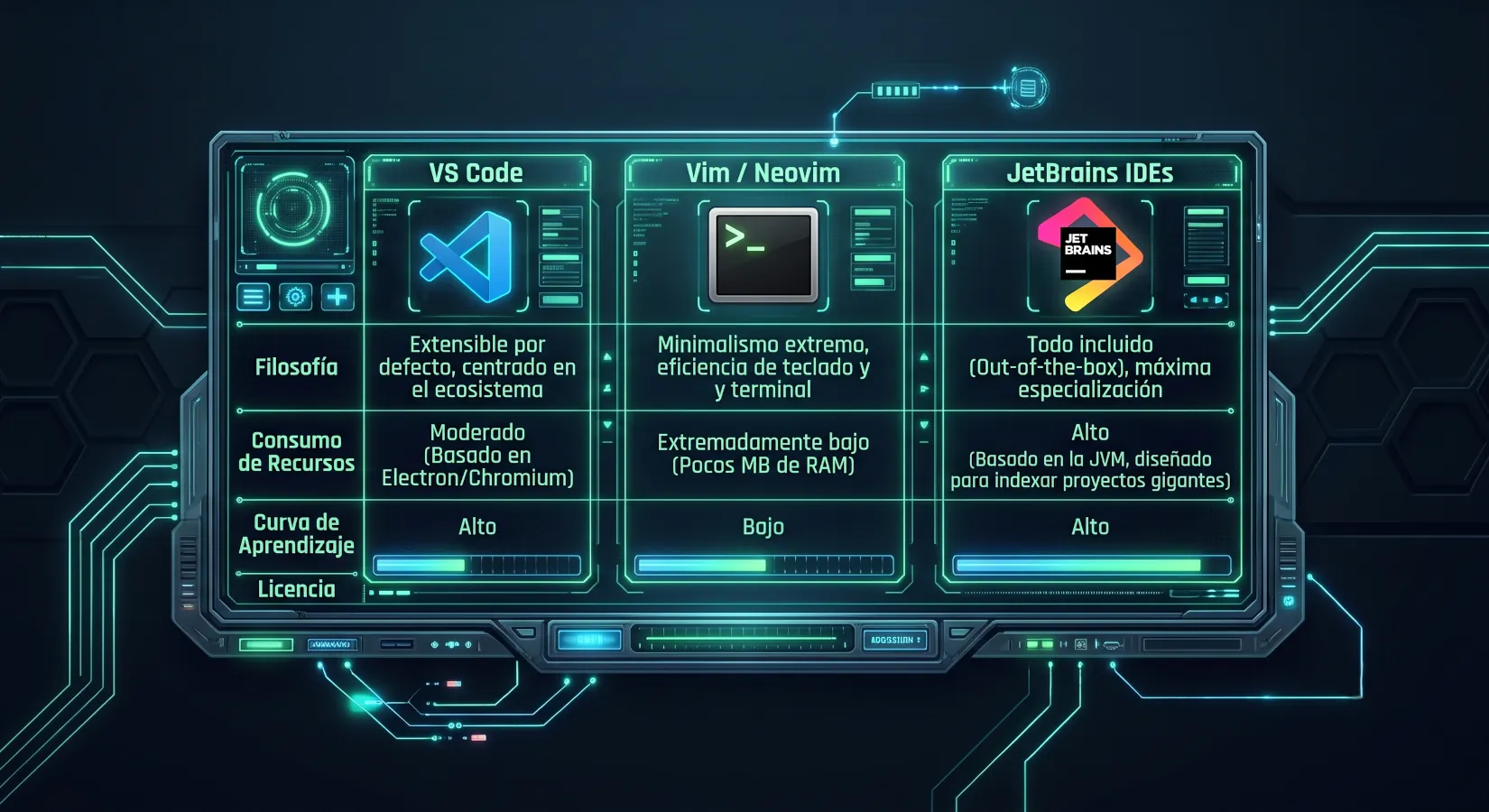
VS Code did not succeed by being the best at any single thing, but by becoming the perfect balance within an ecosystem that was deeply polarized between the austerity of the terminal and the heaviness of the big integrated environments.
The first major pillar of this revolution was the introduction of the Language Server Protocol (LSP), a technical innovation that completely transformed the extensions market. Before its arrival, the creators of a new programming language or static analysis tools faced the titanic and repetitive task of writing and maintaining specific plugins for every existing editor, from Vim to Eclipse.
By standardizing communication between the editor and language tools through a common protocol, Microsoft decentralized development: code support became independent of the program. This unleashed an unprecedented network effect, attracting a massive community of developers who fed a Marketplace where any technology, however new or niche, found immediate, high-quality support one click away.
Batteries included
To this expansive ecosystem was added a design philosophy centered on offering lightness with superpowers, solving the historic frustration of loading times. While traditional IDEs forced users to wait long minutes while they indexed the project and consumed gigabytes of memory before allowing them to type the first line, VS Code bet on near-instant startup speed.
Is Windows still a good environment for programming in 2026?
However, it did not stop at being a simple notepad; it natively integrated tools that in other editors required complex manual configuration of files such as .vimrc or .emacs. By including intelligent, contextual autocompletion through IntelliSense, an integrated terminal that avoided jumping between windows, and visual Git version control management from the first minute, the editor eliminated initial friction. It offered an experience ready for modern software production, seducing both the novice programmer fleeing complex configurations and the professional demanding agility in their daily workflow.
Love for Free Software
Finally, the decisive factor in its penetration into communities traditionally reluctant to corporate tools was its hybrid identity, acting as a strategic bridge between free software and proprietary development. Although the official installer distributed by Microsoft carries proprietary licenses and collects telemetry, the core of the project is developed openly under the name Code – OSS with a highly permissive MIT license.
This duality allowed clean community projects such as VSCodium to flourish, removing corporate tracking and earning the respect and adoption of the Linux distributions most strict about privacy. In this way, VS Code managed to break down ideological and technical barriers alike: it became the approved standard within the most rigid Windows-based corporate environments and, at the same time, the trusted tool for the free software community operating on Linux and macOS, unifying global development under a single interface.
LineShine returns the supercomputing crown to China and challenges the West
Installation guide: Windows
To make the leap to this development environment, the installation process has been simplified as much as possible, adapting both to workflows based on graphical interfaces and to professional management from the command line.
In the Windows ecosystem, deployment is very straightforward. The traditional method consists of going to the official Visual Studio Code website and downloading the executable installer for the system architecture (usually x64).
During the installation wizard, it is highly recommended to check the boxes that add the "Open with Code" actions to the File Explorer context menu, as well as the option to add the editor to the PATH environment variable, which will enable the ability to invoke it from any terminal by simply typing code. Alternatively, for those who prefer modern package management, Windows allows instant installation from the command console (PowerShell or CMD) by running:
winget install Microsoft.VisualStudioCode
Installing on Linux
In the Linux universe, the options adapt to the philosophy of each distribution, offering both universal packages and native repositories. For Debian- or Ubuntu-based distributions, the most integrated path consists of registering the official Microsoft repository to ensure automatic updates through the APT package manager.
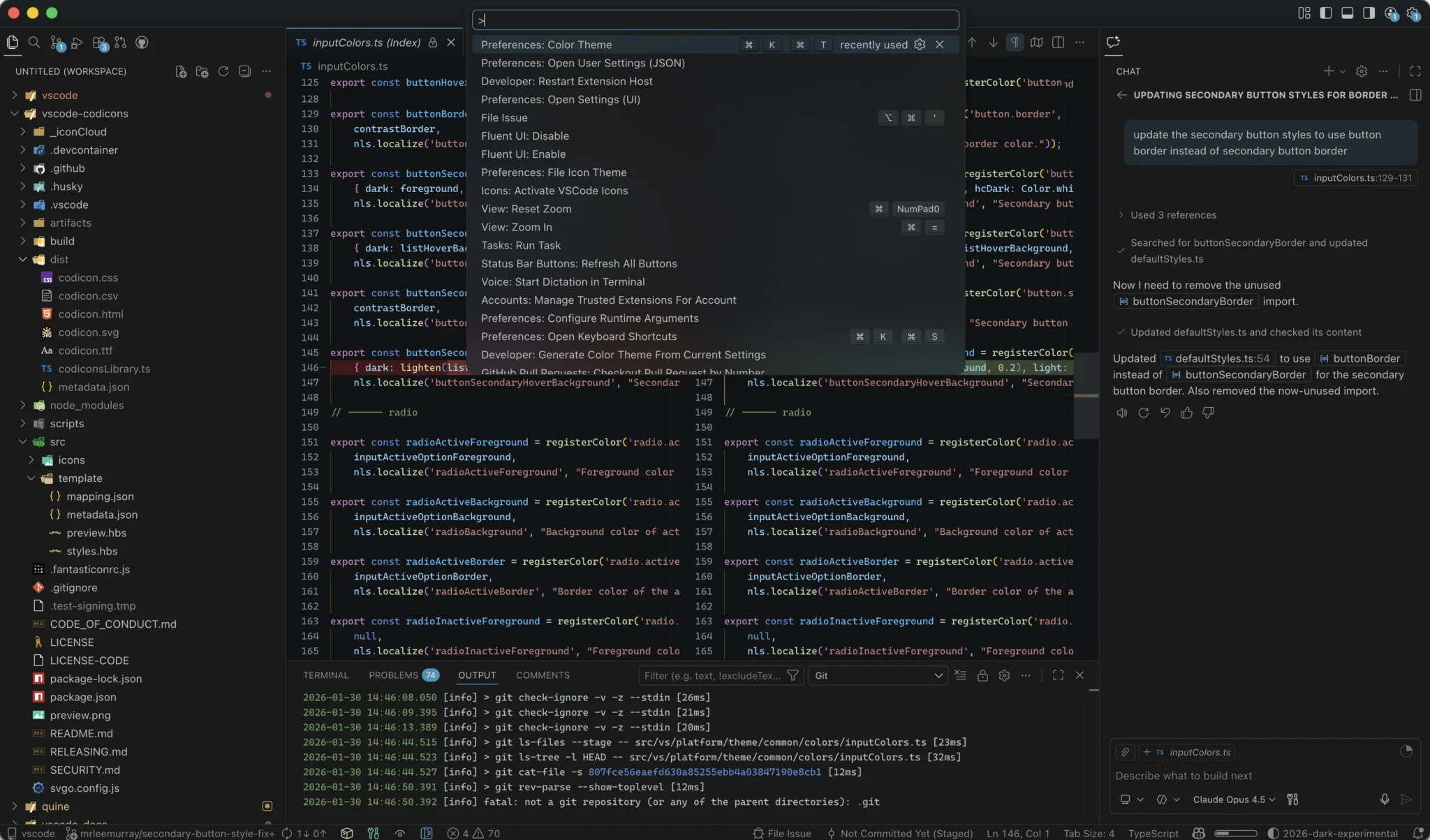
This process is carried out by downloading the security GPG key and adding the software source to the system repositories through the terminal:
sudo apt update sudo apt install apt-transport-https ca-certificates curl gnupg curl -sSL https://packages.microsoft.com/keys/microsoft.asc | gpg --dearmor | sudo tee /usr/share/keyrings/microsoft-archive-keyring.gpg > /dev/null echo "deb [arch=amd64 signed-by=/usr/share/keyrings/microsoft-archive-keyring.gpg] https://packages.microsoft.com/repos/code stable main" | sudo tee /etc/apt/sources.list.d/vscode.list sudo apt update sudo apt install code
For those users who use Red Hat-, Fedora- or CentOS-based environments, the procedure is analogous using the dnf manager after importing the corresponding key and repository. On the other hand, if you are looking for a quick, universal installation isolated from the base operating system (compatible with practically any distribution such as Arch Linux, Mint or openSUSE), you can opt for the official Snap package, resolving the installation with a single command line:
sudo snap install code --classic
A de facto standard
Today, the ubiquity of VS Code in the technology industry is so great that it has completely blurred the physical and logical boundaries of traditional operating systems. The development experience has become homogeneous and universal; a software engineer can interact with exactly the same visual environment, the same extensions and the same custom keyboard shortcuts regardless of the technical substrate underneath. This consistency remains intact whether they work locally on the Windows Subsystem for Linux (WSL), operate remotely through a secure SSH session on a remote FreeBSD server, or write code natively in a macOS graphical environment.
This is Memora, Microsoft's system for giving memory to AI agents
In the end, the global conquest of Visual Studio Code was not consolidated through aggressive corporate imposition or market monopolies, but thanks to a brilliant and historic reading of the times: understanding precisely that the modern developer values, far above the dogmas and editor wars of the past, the flexibility of a tool. Especially when that tool is capable of behaving as lightly as a notepad, yet at the same time proves as expansive and limitless as the universe of extensions its own community decides to build.