What does it really mean for a program to be free?
But free does not only mean "gratis." It means you can use, study, modify and share the program, because its code is public and its license allows it. The Free Software Foundation defines it with four freedoms that have been in force since the 1980s. The difference matters. A closed free program can stop being free tomorrow, show you ads or close your account. A free one lets you leave with your files and your settings. That guarantee weighs more than the price.
After all, the real cost of software is rarely the initial payment. It is the time you waste on incompatible formats, the subscription that goes up every year and the dependence on a vendor that decides for you. Free software tackles all three at once.
5 ultra-light Linux distros to revive your old PC
Why these five and not others?
Now, there are thousands of free projects out there. For that reason, we chose five of them following three strict criteria. First, that they solve an everyday problem for many people, not a technical niche. Second, that they are actively maintained in 2026, with recent versions and security patches. Third, that you can install them on Windows, macOS and Linux without wrestling with the terminal.
The five options meet those requirements. They cover documents, video, passwords, notes and storage. Together they form a complete digital base without paying licenses or handing your files to third parties.
Even so, none is perfect. At the end you will find honest limits and alternatives for each case.
Documents without a subscription with LibreOffice
If you pay every month to edit texts and spreadsheets, here is your way out. LibreOffice is the reference free office suite, with Writer, Calc and Impress as direct equivalents of Word, Excel and PowerPoint.
LibreOffice 26.8 arrived on August 26, 2026 with better typography, more writing systems and greater fidelity when exchanging documents with other suites, according to The Document Foundation announced. The release consolidated the work of 206 contributors, of whom 155 are volunteers, and is available in 120 languages. That was just 19 days ago from today, September 14, 2026.
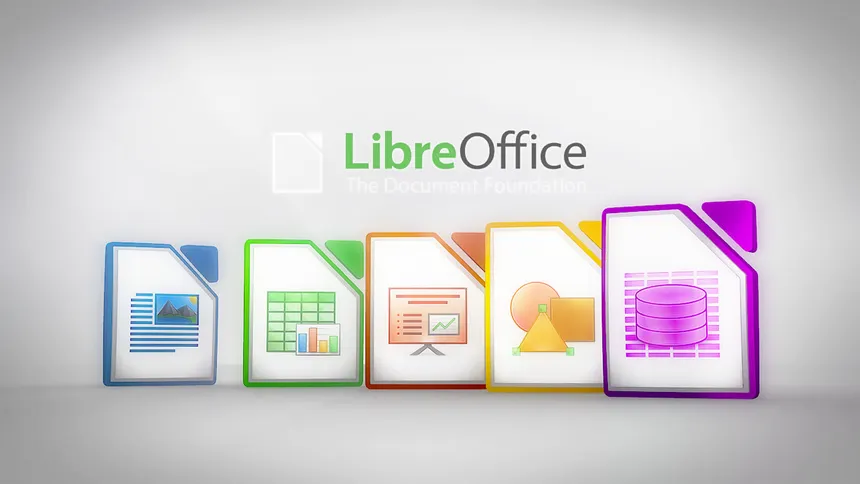
The key is compatibility. Writer opens and saves DOCX with a fidelity that was unthinkable two years ago, Calc handles large spreadsheets without choking and Impress exports presentations that look the same on another computer. You can set ODF as your own format and export to PDF with one click.
To start, download version 26.8 if you want the latest or the 26.2.5 branch if you prefer stability in a work environment. The 26.2 branch receives only fixes until November 30, 2026, so mark that date if you manage several machines.
It is worth noting that the interface is not a clone of Microsoft 365. The menus are in different places and real-time collaboration is not as smooth as in Google Docs. In exchange, you work offline, without a mandatory account and without anyone reading your documents to train models.
The 5 perfect Linux distributions to take your first steps
Any video opens with VLC
That file no player recognizes has had a solution for twenty years. VLC, VideoLAN's orange cone, plays practically everything without installing additional codec packs.
VLC 3.0.22 was published on December 2, 2025, about nine months ago, with improvements to the dav1d AV1 decoder, a frame duplication filter for AMD GPUs and a dark palette option in the Qt interface, as 9to5Linux detailed. Shortly after came revision 3.0.23 with more playback fixes and updated codecs. The 3.0.x branch remains the long-term support version while the long-awaited VLC 4.0 continues in development.
What makes it irreplaceable is its tolerance. Half-downloaded files, DVDs with capricious regions, out-of-sync subtitles, network streams. VLC opens them and lets you adjust the audio delay with a single key.
It also serves as a discreet converter. From the media menu you can convert a video to MP3, trim a clip or stream on your local network without installing anything else. It is not its best-known function, but it saves installing three different utilities.
It works on Windows, macOS, Linux, Android and iOS. It syncs little between devices, it is true, but for watching local content it still has no free rival.
Your passwords under your control with Bitwarden
Reusing the same password on ten sites is the fastest way to lose all your accounts at once. A manager prevents this by remembering a single master key for you.
Bitwarden is an open source manager, audited by third parties and with end-to-end encryption. The free plan covers the essentials for a normal person without tricky limits. Premium costs 19.80 dollars a year, about 1.65 a month, and adds security reports and extra storage.
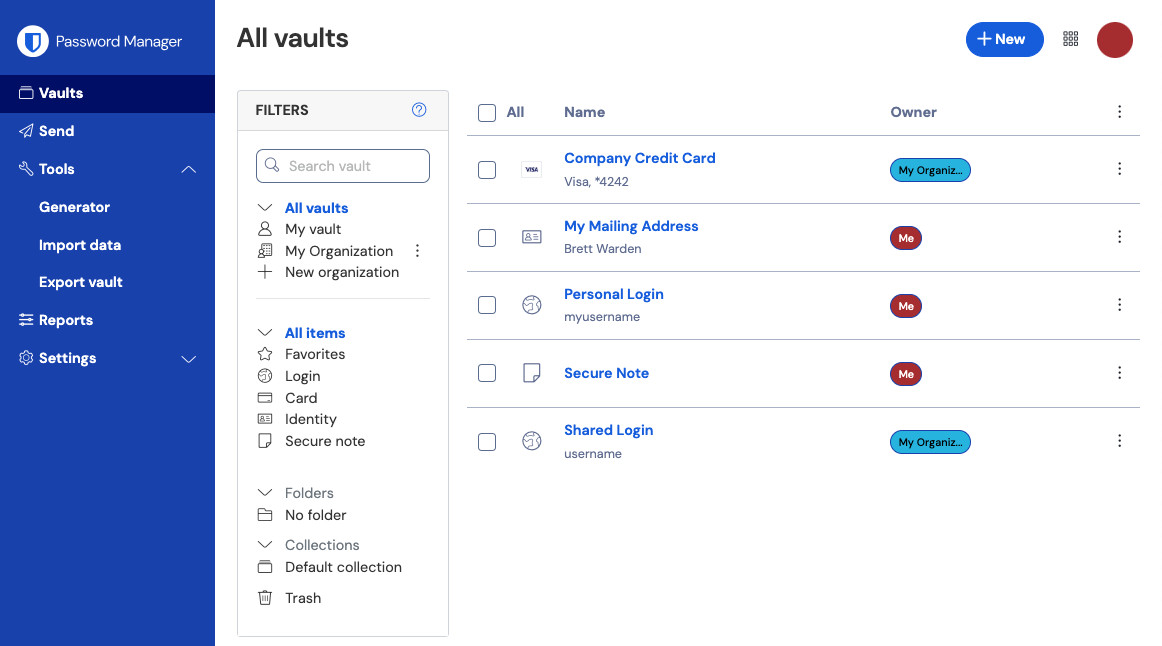
The project publishes monthly release notes and in July 2026, about two months ago, it launched the 2026.7 series with improvements to the manager and the admin console. The code is on GitHub for anyone to review, something closed managers cannot offer by definition.
In practice, you install the browser extension and the mobile app, import your passwords from the browser or from another manager and enable two-step authentication. From then on, every new registration generates a long, unique password that you don't even have to look at.
The problem is that no manager saves you if you forget the master key or don't save the recovery code. Write it down on paper and keep it outside the computer. It sounds like grandpa's advice, but it really works.
Your private cloud with Nextcloud
Storing everything in someone else's cloud means accepting their prices, their terms and their scans. Nextcloud lets you set up your own cloud or rent a slice from a trusted provider.
Nextcloud is the most mature free private cloud platform. It includes files, calendar, contacts, photos, video calls and collaborative office work under the Hub umbrella. Version 34.0.3 came out on August 13, 2026, a month ago, and maintenance release 34.0.4 arrived on September 10, four days ago. Each major version is published every four months and receives support for a year, according to the official calendar.
You have two paths. The simple one is simple registration. You choose a provider from the official list and get 2 GB or more free for an individual user, without setting anything up. The advanced one is installing it on your own server or on a home mini-computer with the all-in-one Docker image.
The difference matters. With the commercial cloud you pay with money or with data and accept its limits. With Nextcloud you decide where your files live, who accesses them and how much space you contract.
It is not magic. Maintaining your own server requires updating, making backups and watching the disk. If that is beyond you, start with a managed provider and migrate later. Portability is precisely the advantage.
FreeBSD ports AMD's ROCm software for HPC and AI on GPU
Notes that don't get lost with Joplin
Notes scattered across five applications end up getting lost. Joplin gathers them in a single place that you control. Joplin is a free notes and tasks application in Markdown format, with more than 56,000 stars on GitHub. It is available for Windows, Linux, macOS, Android and iOS, and offers a Web Clipper for Firefox and Chrome that saves full pages with one click.
Joplin 3.7.16 was published on September 6, 2026, just eight days ago, a week after 3.7.14 on August 30, according to Freedom.Tech's tracking. That weekly pace says a lot about its maintenance.
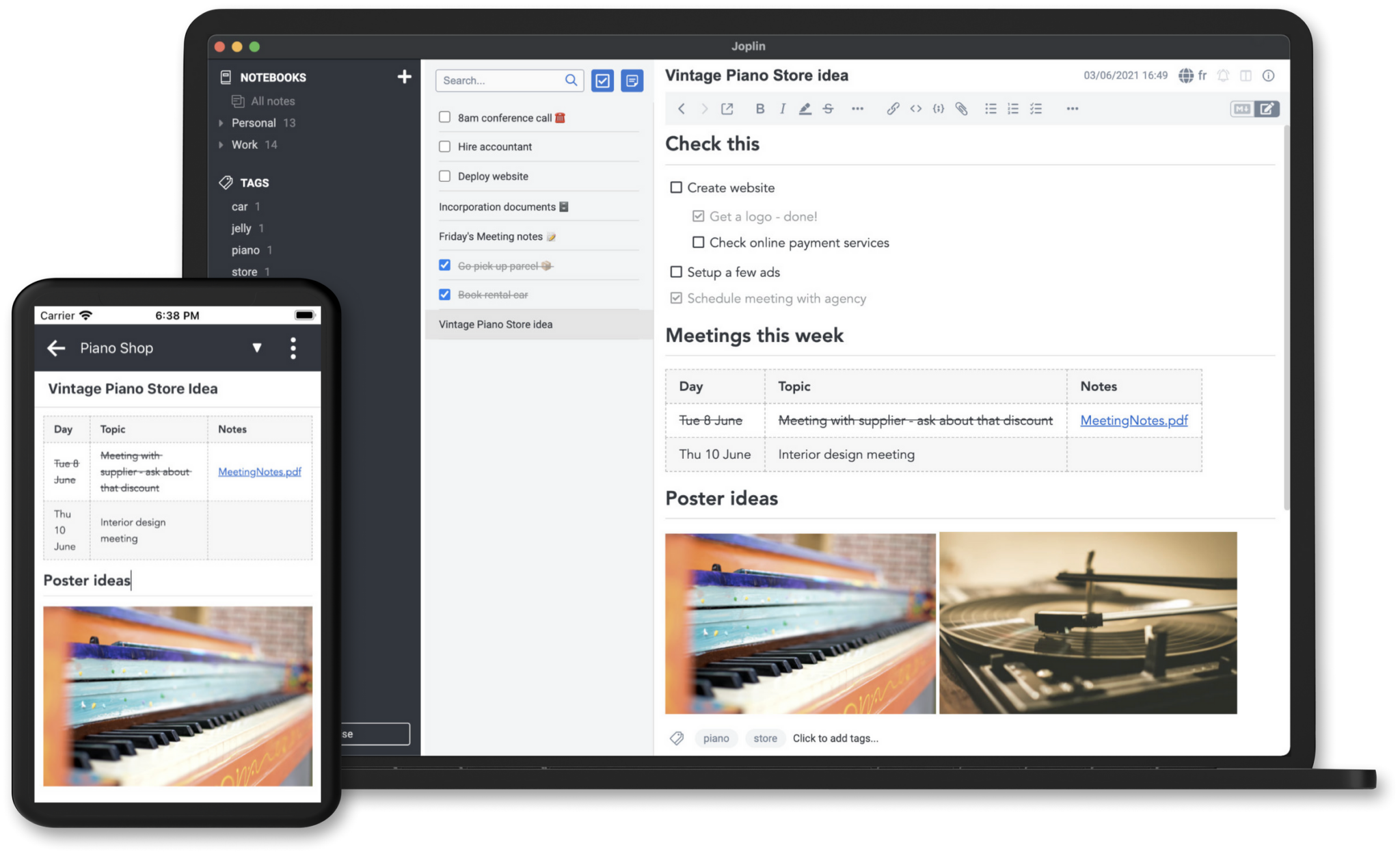
Its strength is syncing your way. You can use Nextcloud, Dropbox, OneDrive or your own server via WebDAV, with optional end-to-end encryption. Your notes travel encrypted and no provider can read them.
You organize by notebooks, tags and tasks, search across all content and edit in Markdown or in rich view. For recipes, class notes or work documentation it performs very well.
That said, the first sync is intimidating. You have to choose a destination, test the connection and understand the difference between local and synced notes. Give it twenty calm minutes and then forget about maintenance.
Honest limits and alternatives worth knowing
None of these tools performs miracles. LibreOffice is weak at simultaneous editing by several people on the same document. If your team lives on live comments, Google Docs or OnlyOffice, also free but more server-oriented, fit better.
VLC does not organize libraries or recommend what to watch. For a large collection with cover art and remote access, Jellyfin or Kodi, both free, are better media libraries. VLC is the hammer, not the furniture.
Bitwarden depends on you safeguarding your master key and your second factor. If you want something fully local without a cloud account, KeePassXC stores everything in an encrypted file on your disk. You lose automatic syncing and gain absolute control.
Joplin requires an initial effort with syncing and its Markdown editor puts off anyone expecting a miniature Word. If you want extreme simplicity and don't mind giving up your own encryption, Standard Notes or Logseq, depending on whether you want classic notes or networked thinking, are worth a try.
Nextcloud requires maintenance if you self-host it. A full disk, a postponed update or a forgotten backup can give you an unpleasant surprise. For critical files, combine your instance with an external encrypted backup, for example with restic, and sleep easy. The key is to choose with your eyes open. Because free software gives you control, but also responsibility.
What to watch in Zcash after a rise of more than 2,200% in a year
Your digital life can be free without heroics
You don't have to migrate everything this weekend. Try one tool, keep what saves you time and uninstall without guilt what doesn't fit. That freedom to try and leave is exactly what closed software does not offer you.
Twenty years ago using free programs required an amateur's patience. In September 2026, with polished versions and communities that publish every few weeks, the barrier is more psychological than technical. After all, you already use open source every time you browse or look at your phone without knowing it.
Start with Bitwarden today and continue with LibreOffice tomorrow. Your self of next year, with readable files, unique passwords and backups under your roof, will thank you.