The 5 perfect Linux distributions to take your first steps
If you have spent your whole life on Windows or macOS and are curious about the GNU/Linux ecosystem, the first question is usually the same: where do I start? The answer is not easy, because there are hundreds of distributions to choose from, each with its pros and cons, but there is a small group that stands out for being easy to install, simple to use and capable of covering everyday tasks without sacrifices: browsing the internet, listening to music, watching movies, streaming and playing video games. As of September 2026, these five distributions are the best gateways into the Linux world for novice users.
What is a distribution and why does the choice matter?
Before choosing, it is worth understanding what exactly a Linux distribution is. At its core, Linux is a kernel, the component of the operating system that manages the hardware. But a usable system also needs a desktop, tools, browsers, media players and an application manager. A distribution is precisely that packaged set: Linux is combined with a desktop environment, applications and a community that keeps everything up to date.
For a novice user, the choice of distribution determines three practical things. How familiar the desktop feels, how easy it is to install programs and compatibility with their hardware. The five options in this guide share the same spirit: letting a beginner have a fully functional system in less than half an hour, without needing to touch the terminal for the essentials. All of them can also be tried risk-free through a "live session" from a USB drive before installing them to disk.
Linux Mint: the universal recommendation for those coming from Windows
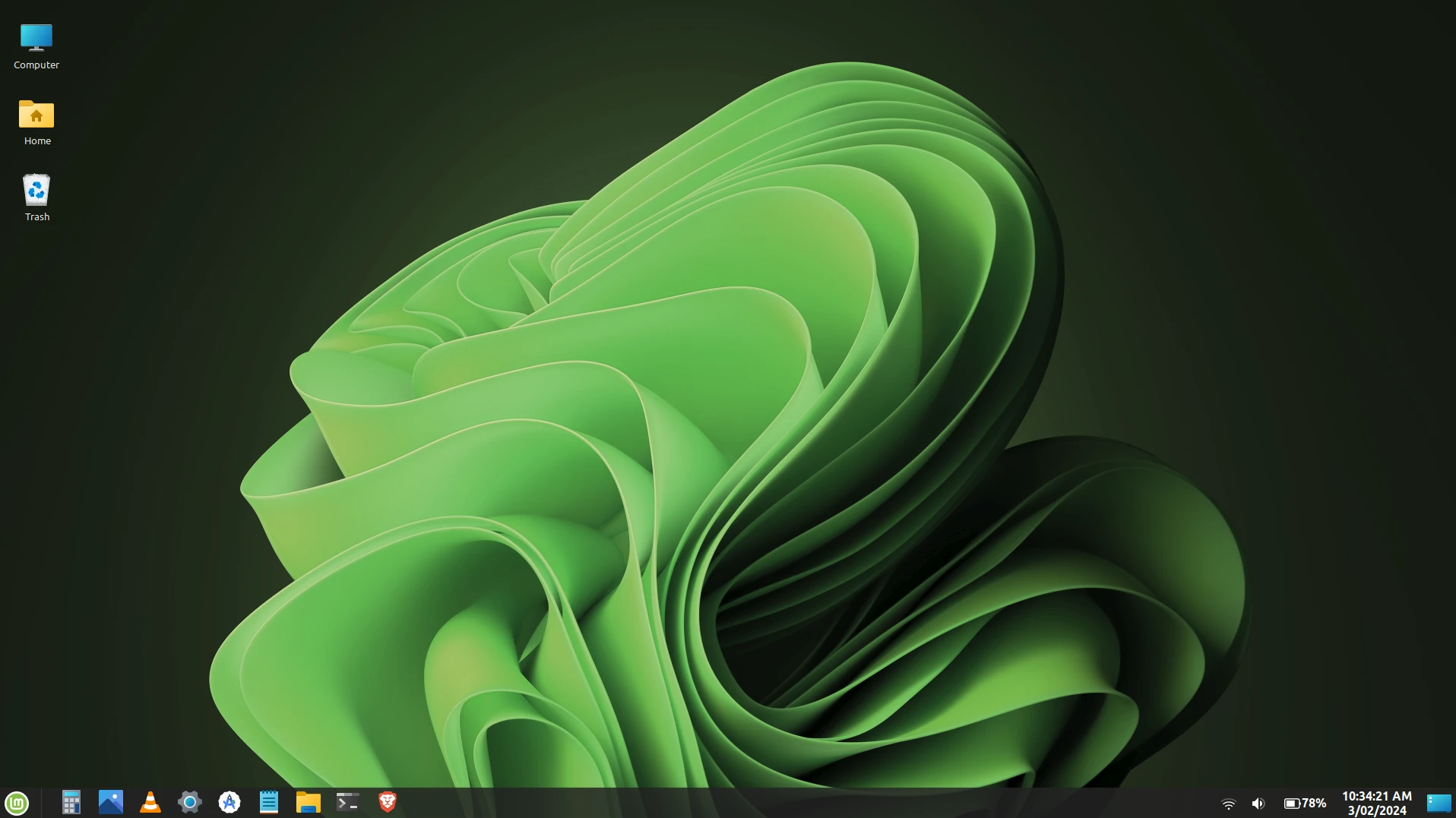
If there is one distribution that the technical community recommends over and over again to newcomers, it is Linux Mint. Its main strength is the Cinnamon desktop environment, designed to feel like a classic Windows: taskbar at the bottom, system tray on the right and a start menu in the corner. For anyone who has used Windows for decades, there is nothing to relearn. The most recent version, Linux Mint 22.3 "Zena", based on Ubuntu 24.04 LTS and powered by the Linux 6.14 kernel, arrived in December 2025 and receives support until 2029.
Linux Mint is the universal recommendation for those coming from Windows
Mint is especially appealing to beginners because it includes multimedia codecs out of the box, so video and music playback works from the first boot without configuring anything. Its update manager is one of the clearest in the ecosystem, distinguishing between system and kernel updates, and allows kernel updates to be postponed without losing security patches, something that eliminates one of the biggest fears of new users. In addition, its Software Manager is intuitive, supports Flatpak and shows community reviews. Mint is built on Ubuntu, so it inherits its huge library of programs, but it removes Canonical's Snap package in favor of Flatpak, something many users appreciate.
In terms of performance, Cinnamon keeps RAM usage at around 800 MB to 1.2 GB at idle, noticeably lower than Windows 11. Mint also offers editions with MATE and Xfce, which are lighter, ideal for older equipment. For someone who wants a Linux that "behaves like a normal computer", Mint remains, in 2026, the safest option.
Ubuntu: the giant with the largest community and documentation
Ubuntu is the most widely used desktop Linux distribution in the world, developed by the company Canonical. It is by far the one with the most tutorials, forums and answers on the internet: if something goes wrong, chances are someone has already published the solution with Ubuntu in mind. This huge community is its greatest strength for a beginner who wants to learn by resolving doubts.
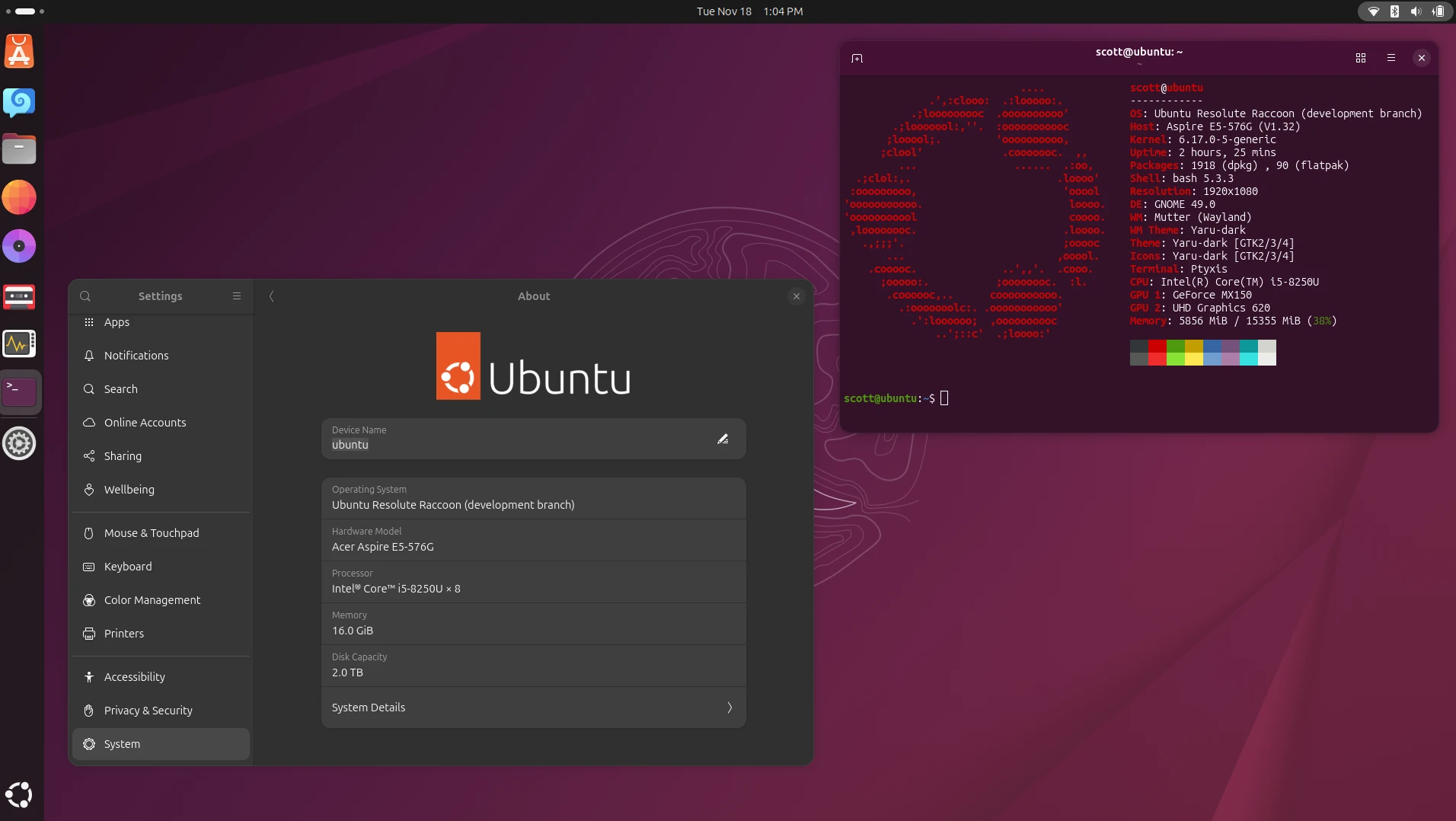
The latest long-term support (LTS) version, Ubuntu 26.04 "Resolute Raccoon", was released in 2026 and includes the GNOME 50 desktop, Wayland by default and five years of standard support (extendable to ten with Canonical's extended maintenance service). Its GNOME environment has a modern look, closer to macOS than to Windows, with a dock at the bottom and an activities view for managing windows. It requires a brief adjustment period, but it is clean and coherent once learned.
Ubuntu 26.04 "Resolute Raccoon"
Ubuntu also stands out for its compatibility with very recent hardware: being based on newer kernels and components, it usually detects Wi-Fi chips, GPUs and other components of the latest-generation laptops better on first boot. Its app store allows most programs to be installed without opening the terminal. The main historical criticism is its commitment to Snap packages, which some users consider intrusive, but in recent versions the experience has improved and Flatpak installs without problems alongside it. For anyone who wants to align with the professional ecosystem, or plans to learn Linux to develop a career in the industry, Ubuntu is the natural choice.
Zorin OS: the smoothest transition from Windows or macOS
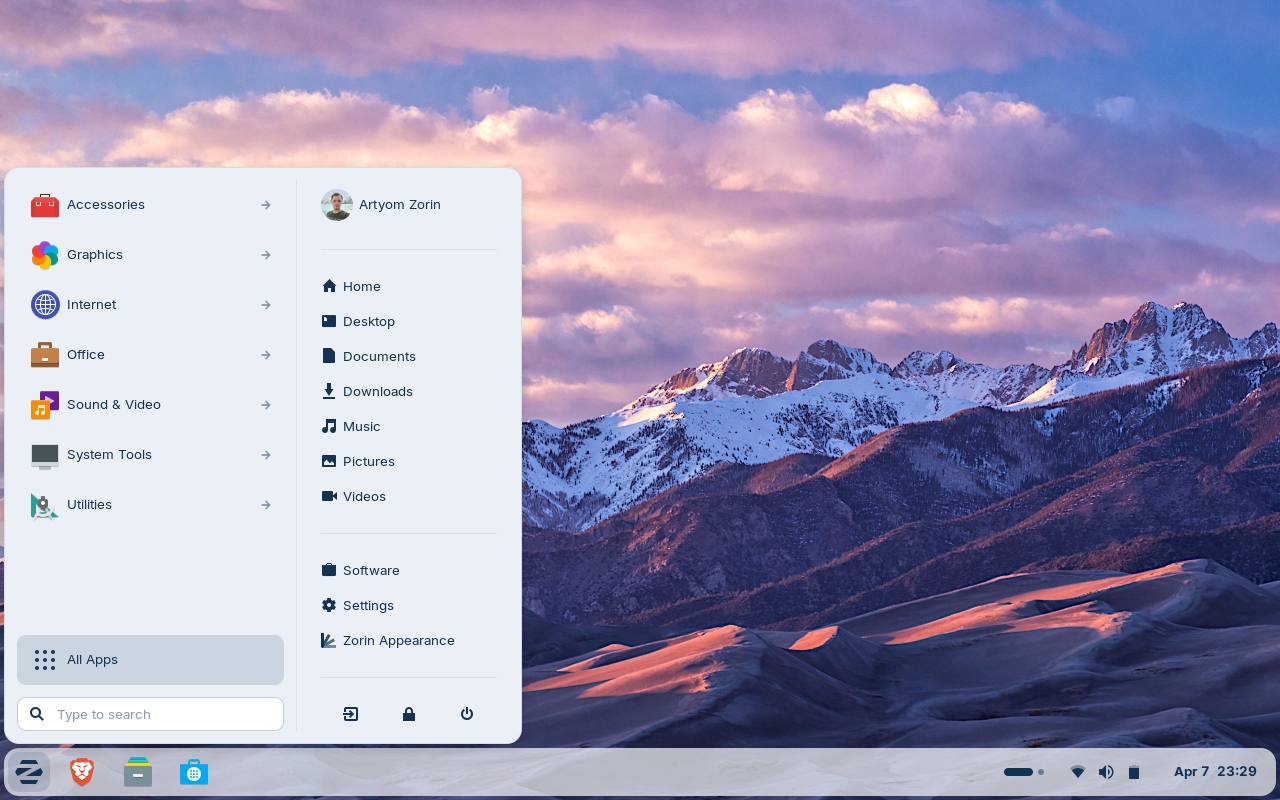
Zorin OS was built with a single goal: making migration from Windows or macOS painless. Its Zorin Appearance tool lets you change the look of the desktop to resemble Windows 11, classic Windows, macOS or a traditional Linux desktop with a couple of clicks. That ability to "mimic" greatly reduces the anxiety of those who have never left a Microsoft or Apple environment.
The current version, Zorin OS 18.1, is based on Ubuntu 24.04 LTS, uses the GNOME desktop with its own customization layer and the Linux 6.17 kernel, and receives security updates until at least 2029. It is distributed in several editions: Core, free, covers everything a beginner user needs; Lite, also free, uses the Xfce desktop and is intended for older hardware with little RAM (it can run with 2 GB); and Pro, paid (around 18 dollars), adds more desktop layouts, creative applications and personalized support.
Zorin includes the usual programs by default (browser, music and video players, an office suite compatible with Microsoft documents) and is compatible with .deb and AppImage applications and, with optional support, with many Windows .exe and .msi executables through the Wine compatibility layer. For a completely novice user who wants "everything to look like what they already know", Zorin OS offers the friendliest experience on the market.
Pop!_OS: the best gateway to gaming on Linux
For those who include video games among their basic functions, Pop!_OS is the reference distribution. Developed by System76, the US company that manufactures computers with Linux preinstalled, Pop!_OS is based on Ubuntu 24.04 LTS and its latest stable version, released on December 11, 2025, introduced COSMIC, its own desktop written from scratch in Rust. It is an ambitious bet: a native Wayland startup environment with automatic window tiling and a clean interface, although still in its first stable stage, with some rough edges to polish.
Its great appeal for the gamer audience is NVIDIA graphics support: System76 offers a dedicated ISO with proprietary drivers preinstalled, so you don't have to spend the first hour looking for the right driver. It includes Vulkan libraries by default and, on laptops with hybrid graphics, automatically assigns each application to the right GPU, without the need for manual commands. Thanks to Valve's Proton compatibility layer, the vast majority of the Steam catalog works with barely any configuration: according to ProtonDB, about 88% of Steam's 1,000 most popular games receive a Platinum, Gold or Silver rating.
The only real limit is games with kernel-level anti-cheat (such as Valorant), which do not work on Linux. But for the rest, Pop!_OS offers a gaming experience surprisingly close to Windows. It is the ideal choice for those who want to play without giving up free software.
Fedora: the modern option backed by Red Hat
Fedora is the distribution chosen by those who want recent software without resorting to a continuous update model. Sponsored by Red Hat, Fedora is one step ahead of Ubuntu in terms of how new its components are: it is usually the first to incorporate new kernels, new GNOME desktops and the latest technologies. The current version, Fedora 44, includes GNOME 50, the Linux 6.14 kernel and the DNF5 package manager, noticeably faster than its predecessor.
Fedora's great advantage is that it maintains a strict open software policy and a clean desktop very close to the original project, which makes it an excellent base for learning Linux "done right" and a natural bridge to Red Hat Enterprise Linux in the professional world. Its support is about 13 months per version, with releases every six months (the next version, Fedora 45, is expected in October 2026), so it requires updating more frequently than the LTS versions of Ubuntu or Mint.
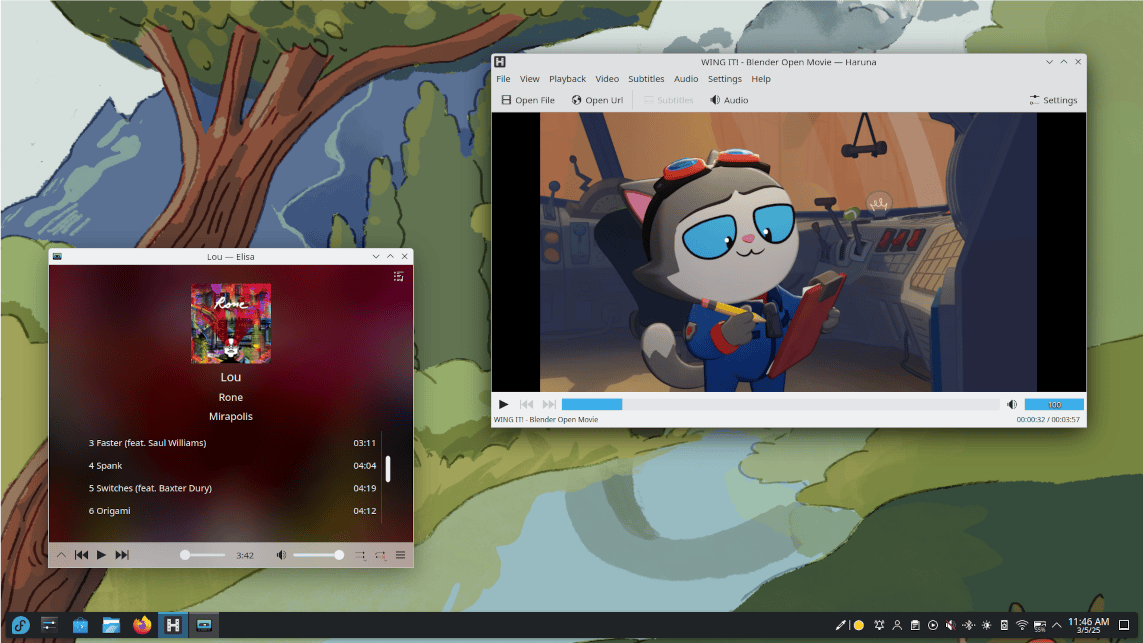
Fedora KDE is perfect for those coming to Linux from Windows
That same purity has a downside for beginners: proprietary codecs and NVIDIA drivers are not included by default and require manually adding repositories such as RPM Fusion. It is a simple step, but it is one more compared to Mint or Zorin, which come with everything ready out of the box. Fedora is perfect for a curious novice user, willing to learn and who values always having the latest, as long as they accept a little initial configuration work.
How to choose among the five?
The final decision depends on your starting point and your hardware. If you come from Windows and want the most comfortable transition with everything ready out of the box, Linux Mint is the safest bet. If you want the largest community, documentation and compatibility with the professional ecosystem, Ubuntu is the option. If you are an absolute beginner and want the desktop to look like what you already know, Zorin OS offers the friendliest experience. If video games are a priority or you have an NVIDIA graphics card, Pop!_OS is the natural choice. And if you want the most modern and are willing to learn with some initial configuration, Fedora awaits you.
None of the five is a bad choice: all of them cover the basic functions without sacrifices, install easily and have active communities. The important thing is to start. The good news is that, thanks to live sessions and dual boot, trying Linux today carries no risk to your current system, and switching between distributions afterwards is simple because they all share the same fundamental principles. In 2026, taking the leap to the GNU/Linux ecosystem is easier than ever, and these five distributions are the best way to do it.