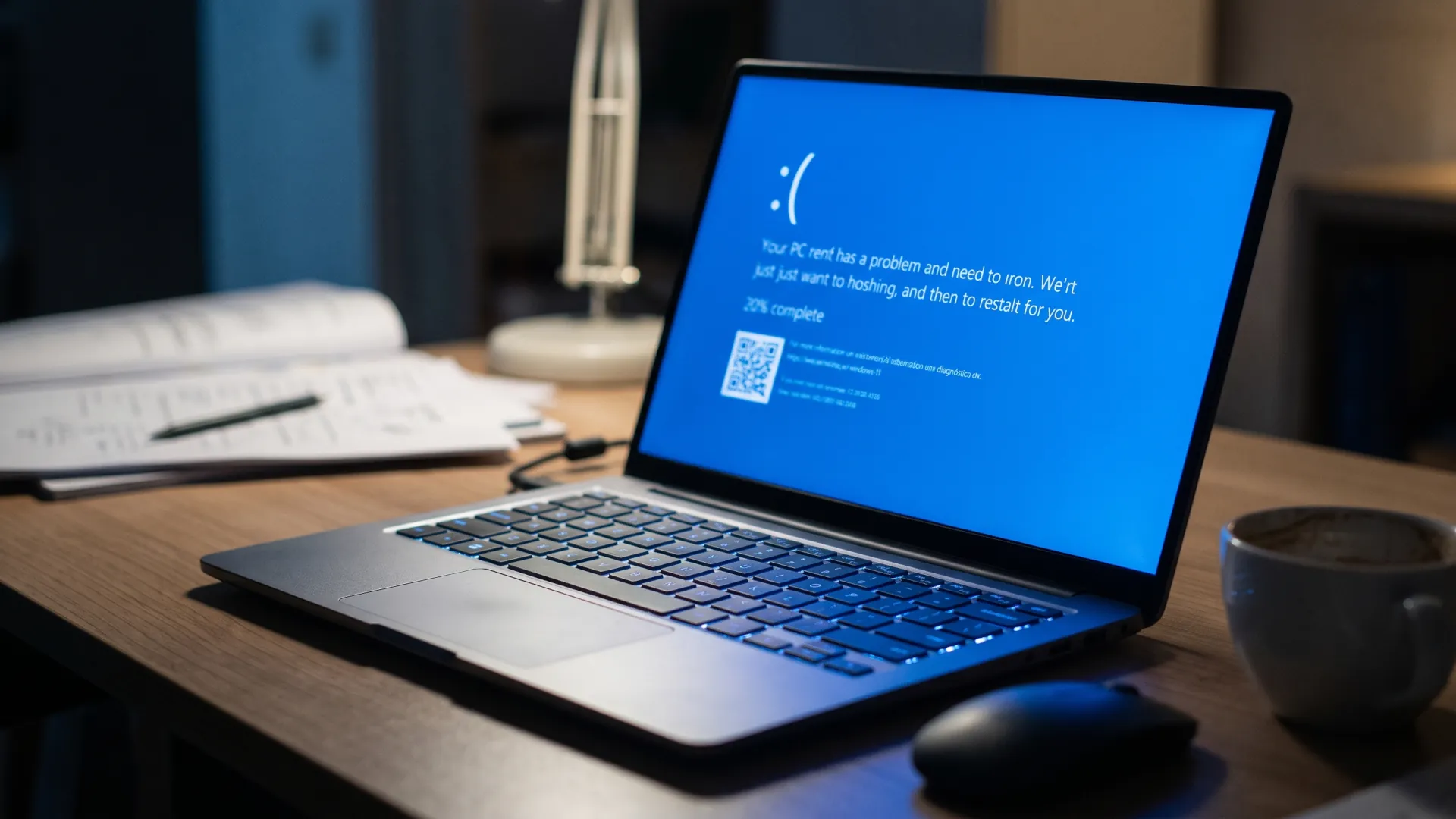
The November cumulative update for Windows 11 has turned into a loop for some users. KB5132061 fails during download or installation with code 0x800f0993 on machines running 26H2, 25H2 and 24H2, three generations of the same system. Microsoft maintains that the fix applies itself from November 11 and that affected machines should have received it within 48 hours. On November 18, 9to5Windows was still adding cases.
The symptom is recognizable in ten seconds. The bar advances, stops or goes backwards, and the system returns the error with no further explanation. Retrying changes nothing and the machine keeps working normally: what is missing is the entire November bulletin.
That is the real problem. An update that does not install leaves the machine with the vulnerabilities the bulletin fixed, with no visible warning beyond the error and with the inventory showing green: the build does not change, the error does not open a ticket and nobody looks at it until the audit. The November bulletin added 1,094 flaws in Microsoft software, and none of them reach a machine that is left behind. If you manage a fleet with 24H2 or 25H2 in production, that gap has already lasted nine days.
What 0x800f0993 means and why it is not just any code
Errors in the 0x800f family belong to the component-based servicing layer, the mechanism Windows uses to apply updates piece by piece. When one of these codes appears, the system is saying it could not locate, download or verify the files it needs to complete the operation, and that it has been left halfway.
In practice they are associated with three scenarios: a corrupted component store, a previous installation that was left incomplete or a problem in the servicing stack itself that manages the download. On November 13, Winaero pointed to the second: only machines that previously installed the optional KB5127936, published on October 28, fail, and those that do not have it do not reproduce the error.
That changes the diagnosis. A failure that requires a previous patch is easier to narrow down and harder to see, because the machine that never installed the optional update is healthy and the one that did install it no longer remembers doing so. Between the optional update of October 28 and the cumulative update of November 10 there are thirteen days, and that is the trail.
The update that does not install
KB5132061 was published on November 10 within the monthly cycle and covers three Windows 11 branches with the same package. The build numbers make it possible to tell at a glance whether the machine was expecting it and whether it actually applied it.
| Windows 11 version |
Update |
Build |
| 26H2 |
KB5132061 |
26300.9974 |
| 25H2 |
KB5132061 |
26200.9974 |
| 24H2 Enterprise and Education |
KB5132061 |
26100.9974 |
| 26H1 |
KB5132059 |
28000.3501 |
| 23H2 Enterprise and Education |
KB5131087 |
22631.7711 |
The fixes in the package include USB Audio 1.0 devices showing code 10 in Device Manager, error 87 when adding a printer published in Active Directory and stricter validation of PowerShell script signatures. The redesigned context menu, secure erase within Cloud Rebuild and faster Edge startup remain in the visible part of the change.
The most consequential change for a business is not visible in the interface. From this update, Windows clients offer NTLM message signing by default on non-anonymous connections, a measure that fixes CVE-2026-118737 and prepares for the second phase in May 2027, when servers will require signing.
For a managed fleet, that turns the update into more than a quality patch. If KB5132061 does not install on some of the machines, the organization is left with the security rollout half done and with two configurations coexisting. Half the staff with signing enabled and half without it is the state no audit wants to find.
The other code that gets confused with this one
Since November 13 a second error has been circulating that sounds similar and has nothing to do with it. After applying the November update, some activation operations run with `slmgr` fail with 0x80041008, an invalid parameter code that mainly affects organizations that automate activation via KMS or install product keys by script.
Microsoft acknowledged that problem and published an optional out-of-band update to fix it. The difference matters: the first has an out-of-band patch and a date; the second, an automatic fix that the company takes for granted and that some machines do not see arrive. Anyone who mixes the two will apply the wrong solution and waste an afternoon.
What to do with a machine that does not install the update
The first thing is not to force partial installations. A component store left half written turns a reproducible error into a system with problems that are hard to isolate, and the remedy then costs more than the original problem.
The second is to run the Windows Update troubleshooter and check the state of the store with the system tools. They do not fix an unknown cause, but they rule out the corrupted store, which is the only scenario the user can correct on their own. The Windows message center is where the official explanation appears. That kind of channel is not infallible either: the Microsoft 365 outage also took down its own status page.
The third is not to clear the update cache blindly. It is the first advice on any forum and the one that leaves the least trace: if the problem returns, the evidence that would allow it to be diagnosed is lost when there is something to diagnose.
For a business, the reasonable decision is to segment. Machines that have already applied the update and work need nothing; those that fail should be flagged in the inventory with the build they have and the date of the attempt, because when the fix arrives it will be necessary to verify which ones were left behind. A list of twenty machines, their error and their build is worth more than a ticket opened with the vendor.
How to know if your machine is affected
The check takes a minute and requires no tools. In the system settings, the build number indicates whether the update was applied: the three branches of KB5132061 end in 9974, with 26300 for 26H2, 26200 for 25H2 and 26100 for 24H2 in enterprise and education editions.
The update history adds what the build does not provide. A failed attempt with 0x800f0993 is recorded with a date, and that data distinguishes an isolated failure from a repeating pattern: if it appears twice in the same week, the problem is not the machine.
There is a third sign that arrives before the error. Affected machines show downloads that restart from zero or that stay at a fixed percentage for minutes. If that happens twice in a row, the code is about to appear and that day it is no longer worth continuing to try.
Patching three generations at once
The coincidence across three branches is not a consumer fluke: it is the consequence of having unified the package for 26H2, 25H2 and 24H2 in a single cycle. It works when everything goes well and multiplies the impact when something fails, because the same defect reaches three populations with different configurations at the same time. Windows 11 26H2 had already arrived with failures and half-finished patches in its first week, before this cumulative update.
Until there is a closed explanation, the only thing an administrator controls is the record: which machines failed, with what error and what build they have. That inventory is also the evidence needed to make a claim when the fix arrives and half the fleet is still waiting. Without it, the conversation with the vendor starts from zero.