Your router could be spying on you: this is how you can take back control with OpenWRT. The devices that connect us to the internet have become a priority target for cybercriminals, state agencies and manufacturers' own telemetry. While the big brands sell us "black boxes" that are hard to update, open source software emerges as the best defense. We explain how OpenWRT lets you audit your network, block your carrier's tracking and turn a conventional router into a digital bunker.
We live in turbulent digital times, times in which our gateway to the Internet is under scrutiny, and where options like OpenWRT are a good measure to protect ourselves. But what exactly is OpenWRT? Why are our routers in danger? Valid questions that will be answered below.
Vulnerabilities as infrastructure
If there is one device to pursue in the digital world, it is undoubtedly the network devices for small offices and homes, also known as SOHO. After all, these have stopped being mere connectivity elements to become an all-in-one tool for our digital life. Don't believe it? Let's do an exercise: you want to browse your social networks and you are at home: what do you use for it? Your mobile carrier's data connection or your home broadband connection?.
Why everyone uses Flatpak on Linux nowadays
We are not fortune tellers, but most will surely have answered "Home broadband" and it makes sense, you are at home, that WiFi is faster and cheaper, uses less energy, and therefore it is a juicy target, especially if the goal is to gain access to your network and from there escalate attacks ranging from spying on all your digital activity to turning your network into one more node of a global attack for a botnet. The possibilities in any case are endless, limited by the creativity of the attackers and the goals they seek to achieve.
Hence SOHO devices are now priority attack vectors for advanced persistent threat (APT) actors backed by nation-states. In fact, analysis of recent espionage campaigns reveals a strategic shift in the cyber-operational doctrine of the People's Republic of China (PRC) and North Korea, which has moved from traditional intelligence gathering to long-term persistence and the preparation of sabotage capabilities within foreign critical infrastructure, including that of our homes.
A digital cold war
But let's not fool ourselves, China, North Korea and Russia may be the main malicious actors in this story, but local governments and their agencies also have their interests and methods, so the reality is much more complex. We are a leaf dragged by a turbulent river, with currents fighting to be the most dominant. And since that is the case, the best thing is to know the threat and plan defenses, which is where OpenWRT comes in, one of the most emblematic projects in this sector.
What is OpenWRT and how does it redefine network security?
OpenWRT is a highly modular, open source Linux distribution aimed at embedded devices such as routers, access points and network gateways. Unlike the closed and static operating systems provided by original equipment manufacturers (OEMs) such as TP-Link, Netgear or Linksys, which are usually packaged in monolithic images that are hard to update, OpenWRT implements a file system with read and write permissions combined with its own package manager (currently known as apk).
This architecture allows system administrators and security professionals to uninstall unnecessary dependencies, significantly reducing the hardware's attack surface, while making it easier to install advanced security tools that turn a consumer router into a corporate-grade firewall.
Linux at the center of everything
The core of OpenWRT uses the official Linux kernel sources, applying only the patches required to ensure compatibility with specific System-on-Chip and network interface drivers.
As a result, replacing the manufacturer's software with OpenWRT enables access to advanced data protection and privacy capabilities that block the attack vectors described in state security alerts.
Among these tools, the implementation of encrypted DNS proxies stands out, along with network isolation through VLANs to restrict the reach of Internet of Things (IoT) devices, and the creation of global VPN tunnels using high-performance protocols such as WireGuard, preventing the interception of traffic by third parties or by the ISPs themselves. And the best part is that all of this is completely free.
Installation and initial configuration guide
Installing OpenWRT requires a methodical procedure to ensure that the firmware is correctly written to the device's flash memory blocks without causing software corruption errors.
Prior considerations and hardware selection
Before making any attempt to install, the router's hardware revision must be carefully examined and checked against the project's official database. Under no circumstances should you buy or attempt to upgrade devices equipped with architectures limited to 4 MB of Flash memory and 32 MB of RAM, since these components lack sufficient storage space to provide secure network functionality, losing the ability to manage persistent configurations or to load the LuCI graphical interface stably.
In fact, even if you don't want to modify your router with OpenWRT, following these guidelines can help you choose good hardware for your home or office network. Why? Because manufacturers are interested in only one thing: SELLING AT ALL COSTS. So they will show you that powerful AX1800 router (a mid-range device with good speed) at a laughable price, around €30. However, SUSPECT IT.
A router with that specification (AX1800) at such a low price (€30) makes enormous sacrifices, generally in hardware such as flash memory, RAM and processor. This means that yes, you can run a speed test and see that it gives you correct bandwidth, but as soon as you start connecting devices at home and they begin to demand connections, all that performance will go down the drain.
A practical example
Let's look at a practical example of this. Let's put on one side a router TP Link Archer AX1800 and on the other a GL.iNet GL-AX1800 Flint. The first costs around €57 while the second costs €103. TP Link is cheaper, but it only offers you a dual-core CPU, 16 MB of Flash, 128 MB of RAM and basic network firmware.
The GL.iNET offers you a new-generation quad-core CPU, 512 MB of RAM and 128 MB of Flash, along with advanced firmware derived from OpenWRT, with encrypted DNS, advanced VPN (OpenVPN or Wireguard for privacy) and the ability to support up to 64 simultaneous devices. Basically, a device four times superior to the TP-Link (which is not a bad option either, but it will fall short quickly, especially if you have several PCs or devices at home) for twice the price and that will be enough to sustain your home for years.
These are some of the things the OpenWRT community has organized regarding how to buy hardware for our home or office, and all that information you can find here, so if you are interested, you can take a look before making your next purchase.
Installing OpenWRT
Now then, with our device in hand, if it does not have OpenWRT (as in the case of the TP Link), we must proceed to install it. To make this task easier, there is the OpenWRT Hardware Data website, where you can search for the manufacturer and model of the device. At this point, it is good to check the bottom of the device to know the exact name, model and version, as it will help you with this process.
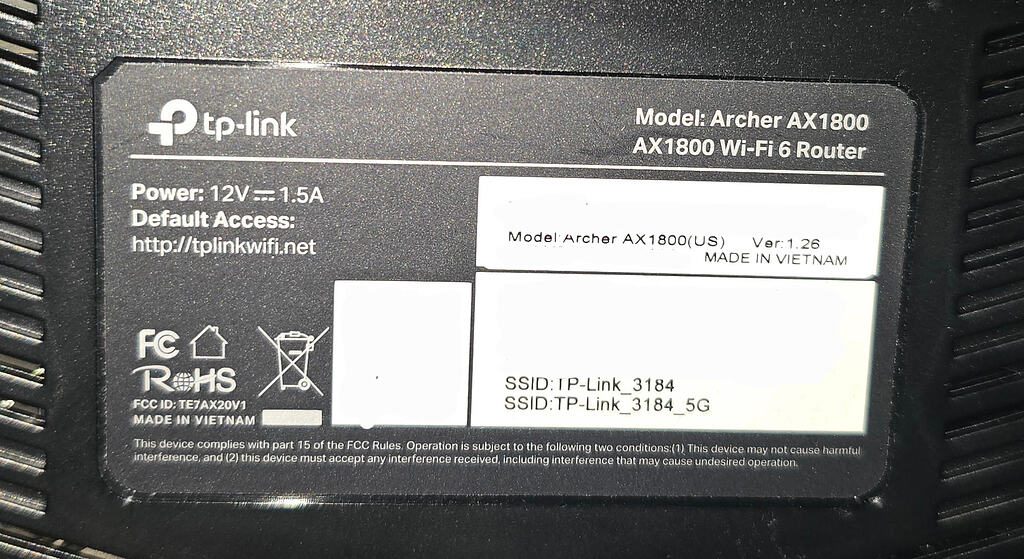
In the case of the image, you will see that it is a TP Link Archer AX1800, with version v1.26. And you can find that OpenWRT firmware here, along with all the device's technical data.
Loading the image onto the device
Once this is done, you must download the file corresponding to the exact model and hardware revision from the official hardware table, obligatorily selecting the image labeled Factory. Do not choose another version, it must be exact in its entirety or you risk "bricking" your device. Actually, you won't brick it, but repairing it at that point can only be done by a specialized technician and you won't want to go through that.
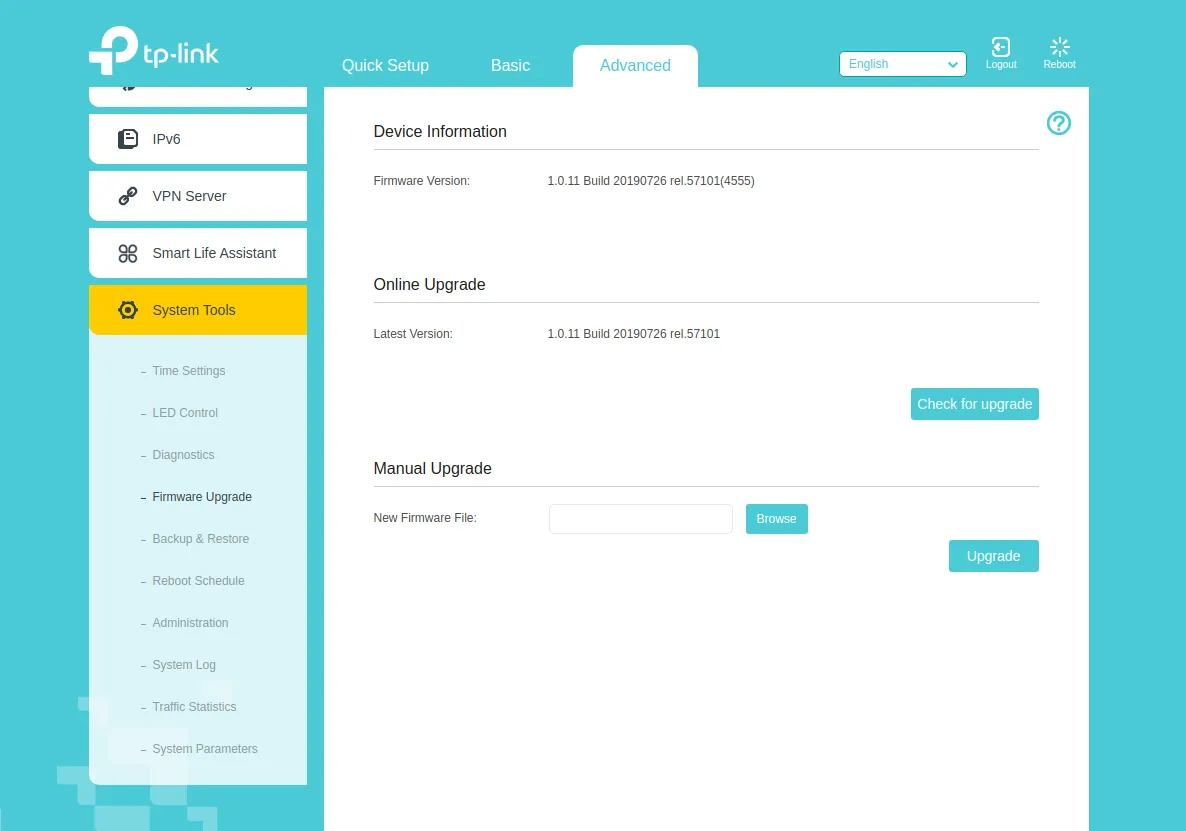
Once the firmware is downloaded, you only need to open the web browser on the administration PC and go to the router's default management IP to enter the factory administrative credentials. There you can proceed to load the new firmware onto the device and after a few minutes your device will already have OpenWRT installed. Under no circumstances should you turn off the device or force the installation, since the images are designed to work seamlessly and without failures, so if something fails, it is because the manufacturer has put in some protection to prevent you from installing OpenWRT or its variants. Yes, manufacturers do this, and they don't hide it.
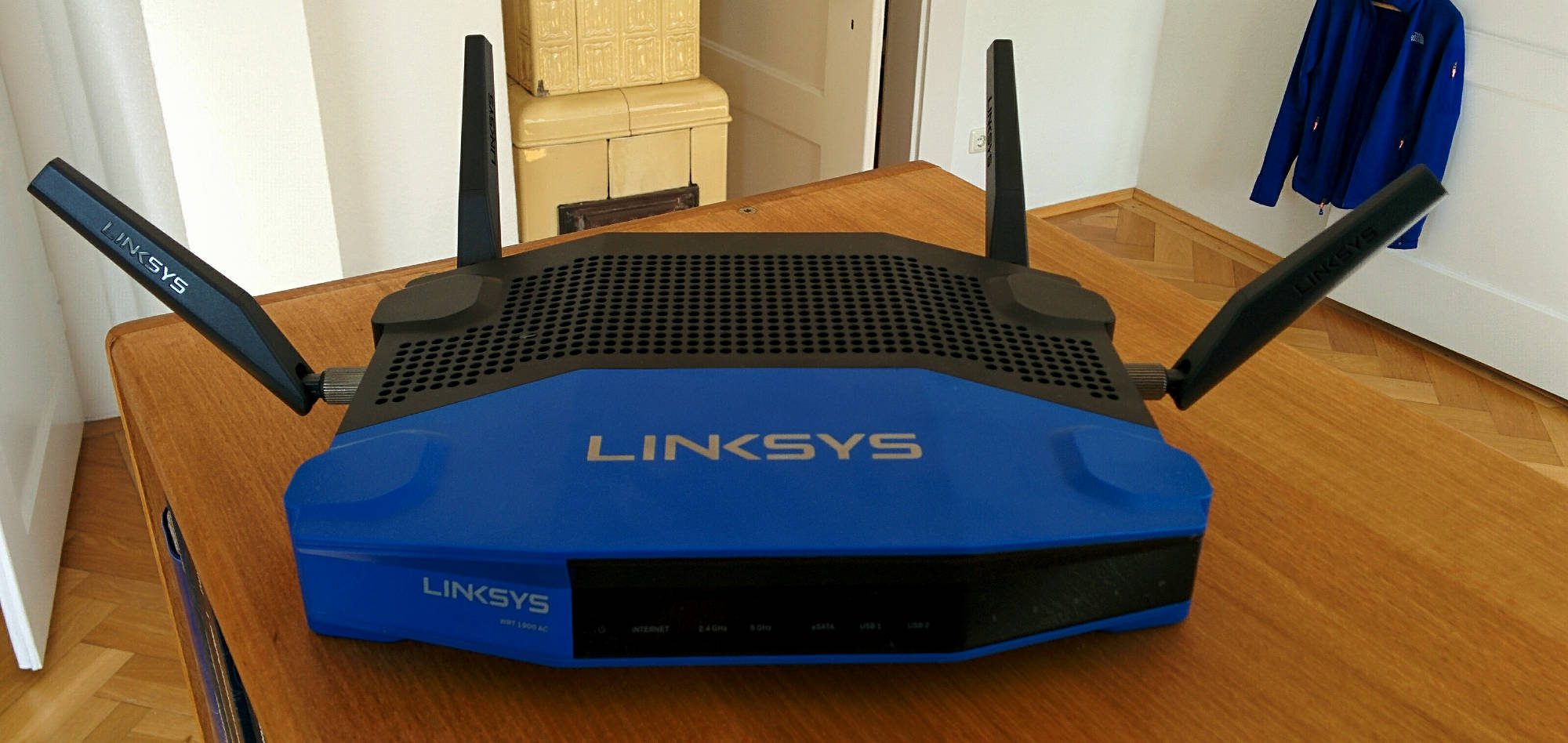
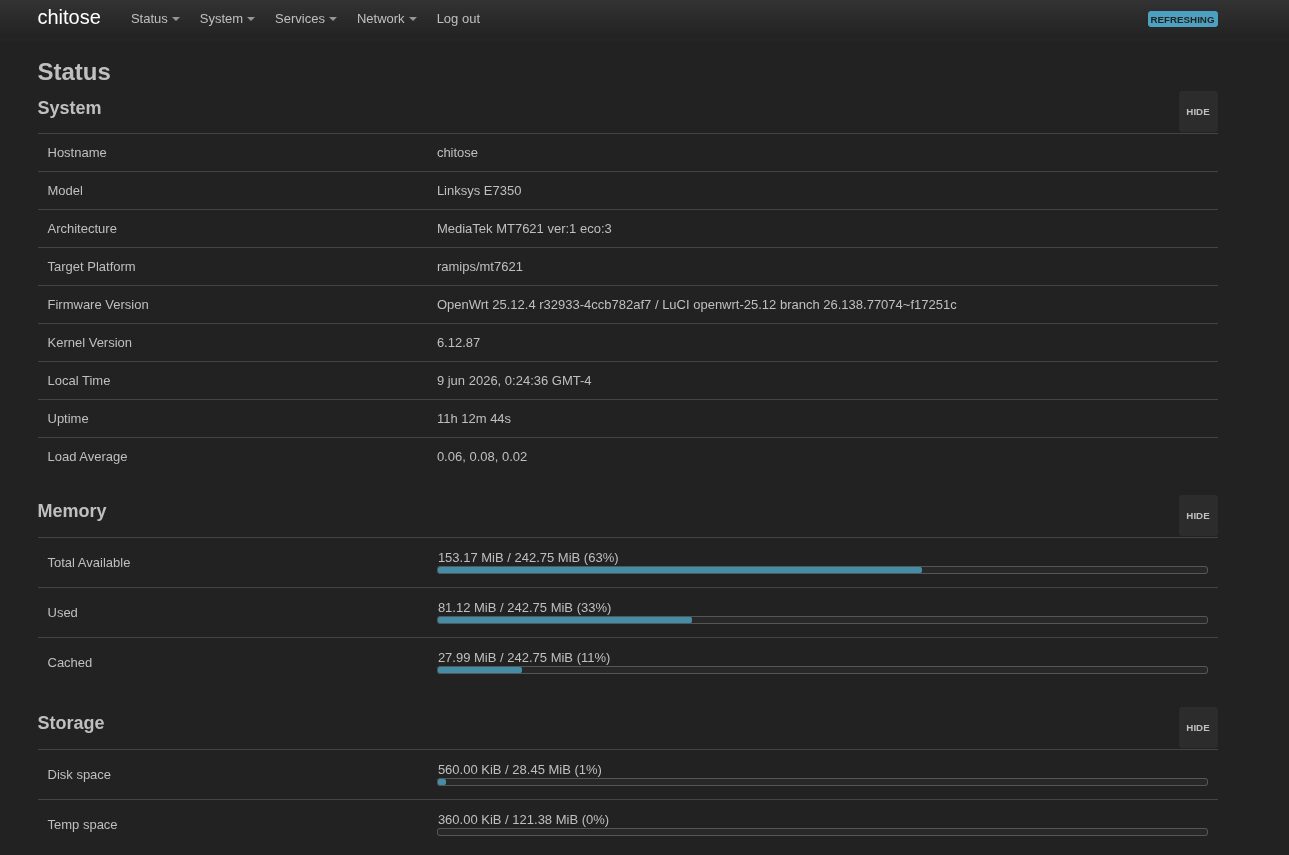
In the end, when the whole process finishes, you will see OpenWRT installed on your device and you will begin your new journey using this software with endless possibilities. In my case, I have a customized version, on a Linksys that is three years old, and it is still there like the first day thanks to this system.
Why choose OpenWRT?
Choosing OpenWRT instead of the factory (OEM) firmware is a crucial step if your absolute priority is the security and privacy of your network. The main advantage lies in transparency and total control. OEM firmwares are usually closed-source black boxes that rarely receive security updates, leaving critical vulnerabilities (such as remote code execution flaws) exposed for years once the manufacturer decides the device has reached the end of its useful life.
OpenWRT, being an open source operating system based on Linux, has an active global community that constantly audits the code and releases security patches regularly and quickly, extending the secure life of your hardware far beyond the manufacturer's limits.
Privacy and customization
In terms of privacy, commercial firmwares frequently include native telemetry tools, traffic data collection or dependencies on the manufacturer's cloud services that cannot be disabled. OpenWRT completely eliminates this unnecessary tracking and gives you the power to audit exactly what enters and leaves your network. In addition, it allows you to natively implement advanced privacy tools that conventional routers do not support or drastically limit, such as:
- Advanced DNS encryption: Simple configuration of DNS over TLS (DoT) or DNS over HTTPS (DoH) to prevent your internet service provider (ISP) from spying on the websites you visit.
- Network-level ad blocking: Integration of tools such as AdGuard Home or picoBlock directly on the router.
- Robust network segmentation: Creation of strict VLANs to isolate potentially insecure IoT (Internet of Things) devices from the rest of your local computers and servers.
- High-performance VPNs: Native and optimized support for modern, secure protocols such as WireGuard, allowing you to route all your home traffic in encrypted form without relying on third-party software on each device.
These are tools that normally do not come with OEM firmware, at least not in their most basic versions, and even in the "premium" ones the options are limited. That is where OpenWRT enters the equation and completely transforms your experience, giving you back the power to do whatever you want with your device.