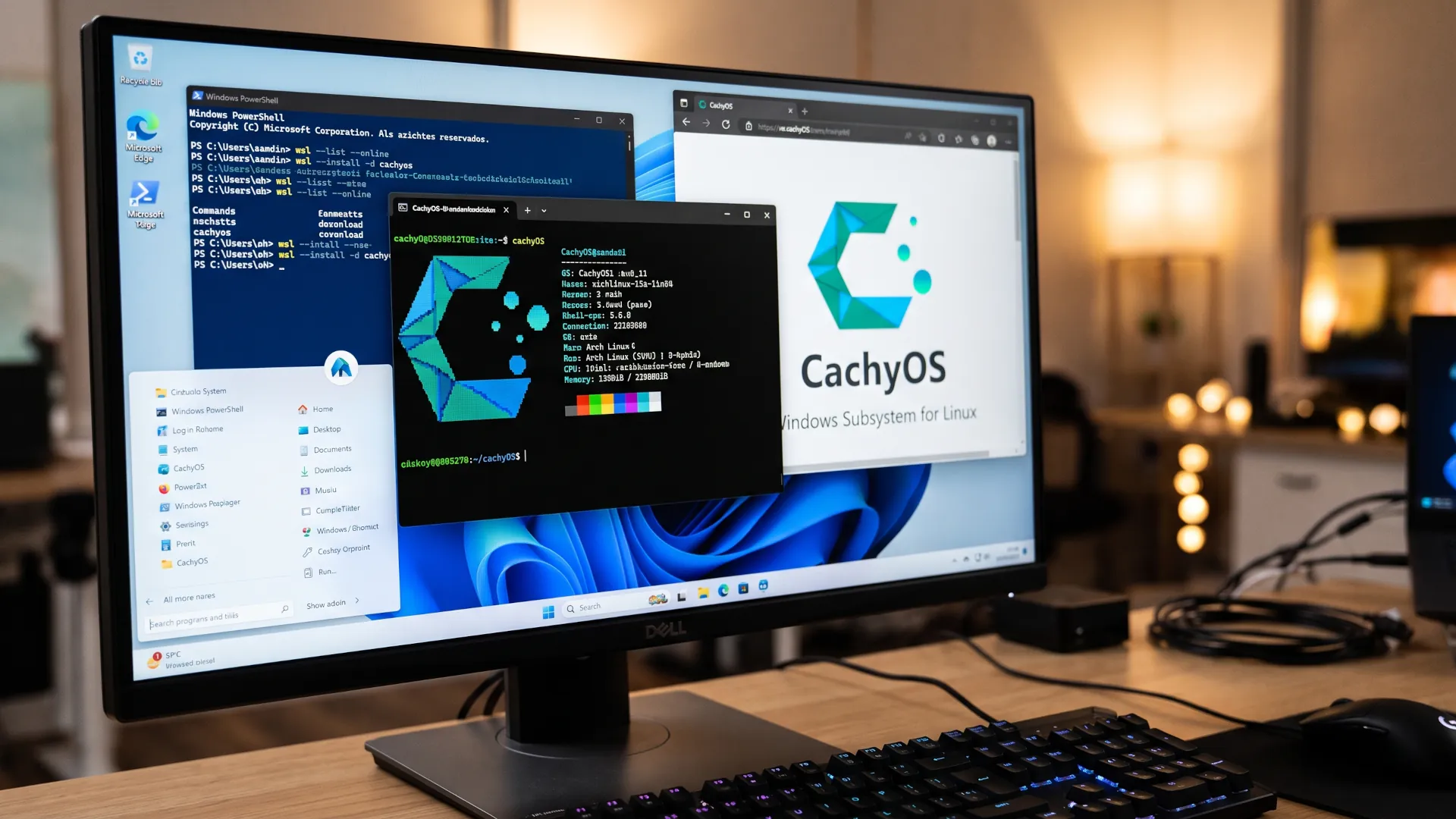
CachyOS, the Arch-based Linux distribution that has won an audience by compiling packages for each type of processor, now has its own image within the Windows Subsystem for Linux. Craig Loewen, the Microsoft product manager responsible for WSL, confirmed it in the announcement of November 8, 2026, where he explained that his team is working with the project to add the distribution to the subsystem's official list. The latest image that the CachyOS WSL project publishes on GitHub is dated November 5, 2026 and weighs 157 MB, and for now the installation is manual.
For anyone new to the subject, WSL allows Linux programs to run inside Windows without partitions or dual boot, and the catalog of available distributions fits on a short list that has barely changed in years. CachyOS competes on different ground from Ubuntu, because its promise is speed: it recompiles software with the instructions your processor understands instead of distributing generic binaries for everyone. That combination is what makes the announcement interesting, considerably more than the image's download figure.
The nuance matters before downloading anything. The version that runs on Windows does not include CachyOS's own kernel or its scheduling tweaks, so do not expect the same machine you would install on a blank laptop. What does travel is the system of optimized packages and an Arch with an installer that works in a couple of clicks. With that clear, the decision depends on what you want to do inside.
What is CachyOS and why does it matter that it comes to WSL?
CachyOS was born as an Arch variant designed to squeeze the most out of hardware, and that detail explains why Microsoft noticed it before distributions with a much larger user base. It also explains its limits.
The base is Arch, so it inherits the rolling release model: the system knows no numbered versions and each update arrives when the package is ready, with pacman as the manager and the AUR as the community catalog. On top of that the project adds its own touches, from recompilations with microarchitecture optimizations to a tuned kernel, alternative CPU schedulers and a selection of desktops ranging from KDE Plasma to Hyprland. The official guide to running it within WSL sums up what remains of all that when the kernel is provided by Microsoft.
The interest for anyone working in Windows is not in the distro itself, but in the shortcut: trying the Arch environment without touching the machine's boot, without repartitioning the disk and without risking the installation you use to pay the bills. Anyone already living in Linux gains nothing from this, and it is worth saying so before the lists of advantages.
What do you need and how do you install it step by step?
The requirement that breaks installations is the subsystem version: WSL 2 version 2.4.4 or later is needed, and updating is as simple as running `wsl –update` in PowerShell. If your Windows comes with an earlier branch, do it first and come back afterwards.
- Check the version with `wsl –version` and update with `wsl –update` until you exceed 2.4.4.
- Download the project's `.wsl` image, which is the 157 MB of the file published on November 5, 2026.
- Double-click the file or install it from PowerShell with `wsl –install –from-file` and the path where you saved it.
- Open CachyOS from the Windows Start menu or launch it with `wsl -d cachyos`.
The first boot takes longer than it seems because the system does real work: it loads the pacman keyring key, measures mirror latency and switches the repositories to those corresponding to your microarchitecture. When it finishes, it asks for a username and password, installs fish as the default shell and leaves you in a normal session. Since images are generated every month, the project itself recommends running `pacman -Syu` with administrator permissions as soon as it finishes.
It is worth having two more subsystem commands at hand. `wsl –terminate cachyos` restarts the distribution when pacman asks for a reboot, and `wsl –unregister cachyos` removes it completely, including your home directory inside Linux, without asking twice before deleting everything.
CPU-optimized packages, the promise that does survive
The image is generic and boots on any x86-64 processor, but the first configuration does something almost no distribution bothers to do: it chooses between znver4, x86-64-v4 and x86-64-v3 depending on what your CPU supports and switches the repositories to that variant. Older machines keep the generic binaries, which work the same, but do not take advantage of modern silicon instructions. If the change fails for lack of network, the configuration continues with the basics and you can retry it later by running `/usr/lib/wsl/optimize-repos` from a privileged session.
There lies half the value of the announcement and also its ceiling. That microarchitecture recompilation depends on a toolchain that runs on the project's servers and not on anything Microsoft provides, so the WSL user receives the same tuned software as the traditional installation. The extra performance exists, even if it is hard to measure without comparing two identical machines.
What does not travel is the other half. Much of the speed depends on patches that exist only in its own kernel, such as the CPU schedulers and sched-ext, and that territory is covered by the work of Igalia in Linux 7.3.
What you lose compared with a native installation
The list of absences is short and concrete. By using Microsoft's kernel, the distribution cannot load the linux-cachyos kernel, nor its CPU schedulers, nor sched-ext, which is the mechanism that allows the scheduler to be swapped on the fly. Nor are the boot manager, the project's own hardware detection or zram, the memory compression that helps on machines with little RAM.
None of those pieces is decorative. Anyone who has tuned a desktop CachyOS knows that the kernel is where the project's performance policy lives, and without it the experience feels much like using Arch with better packages. Hardware detection, moreover, is what prevents fighting with the graphics card or wifi after installing, and in WSL that work is handled by Windows because the hardware is the host's.
This is not CachyOS running on Windows, it is CachyOS trimmed to what the subsystem allows. For learning to use pacman, compiling from the AUR or setting up a development environment, it is more than enough. For boasting of the full distro, no.
Something similar happens with rolling release. The system is rolling release, so the images the project publishes age between builds and the first `pacman -Syu` can move hundreds of packages at once. If you work with the environment daily, update with the same routine you would use on a physical machine and do not let months go by.
Does it make sense for gaming?
For gaming, the honest answer is no, or at least not yet. WSL can expose the host's GPU, but the path that turns a Windows game into a Linux session with near-native performance goes through Proton on a real kernel, not through the subsystem. The version 3.9.5 of SteamOS and its jump to Linux 7.2 show where that ground stands today for a handheld console.
With emulators things change a little, because many work well with modest CPU and graphics and do not depend on graphics instruction translation technologies. Even so, the overhead of running inside Windows does not disappear and the convenience of booting the full Linux machine still wins for long sessions.
The practical conclusion is that this CachyOS is good for work, not for gaming. Anyone who wants to game on Linux has two well-known paths, and both involve a custom installation: a desktop distribution with Proton or a handheld with SteamOS.
The missing bridge for Windows developers
The move fits a broader trend: distributions have stopped fighting over the desktop and now compete to appear wherever the user already is. CachyOS arrives on WSL, but others have done the same with other environments before, and the case of Kali Linux 2026.3 compiling in Docker with Plasma 6.7 shows the same pattern with a security distro that was never meant to coexist with Windows.
One detail is missing to close the loop: Microsoft adding CachyOS to the official subsystem list. When that happens, installation will stop being manual and become a single command, and then the interesting question will not be how it is installed, but how many people end up using an Arch they did not choose on a daily basis. Official compatibility, meanwhile, is already a fact, and the 2.4.4 version requirement is documented by the project itself.