SolidCraft, the parametric CAD software in Rust with MCP support
An artificial intelligence agent opens a part, draws a sketch, dimensions it, extrudes it and returns a screenshot of how it turned out, without anyone touching the mouse. That is what SolidCraft proposes, a computer-aided design program written in Rust that has caused quite a stir on the Internet. Above all, because behind it is the developer who goes by the name bherbruck, creator of a set of free software tools built with AI and aimed at the global software giants.
And although the project is only twelve days old, its pace is hard to keep up with. The repository was created on October 7 and by October 16 it was already approaching 3,000 stars, with almost 400 open issues, driven by an Apache 2.0 license and a latest version 0.14.0, released that same October 16.
But curious as it may be, CAD (Computer-Aided Design) is not the news here. Code assistants have been generating geometry with OpenSCAD or FreeCAD scripts for months, and the bottleneck is always the same: the resulting model is poorly edited and the agent cannot see what it is doing. SolidCraft tackles both things at once, with an operation history that remains editable and a tool that returns images to the model.
What is the desktop and browser CAD like?
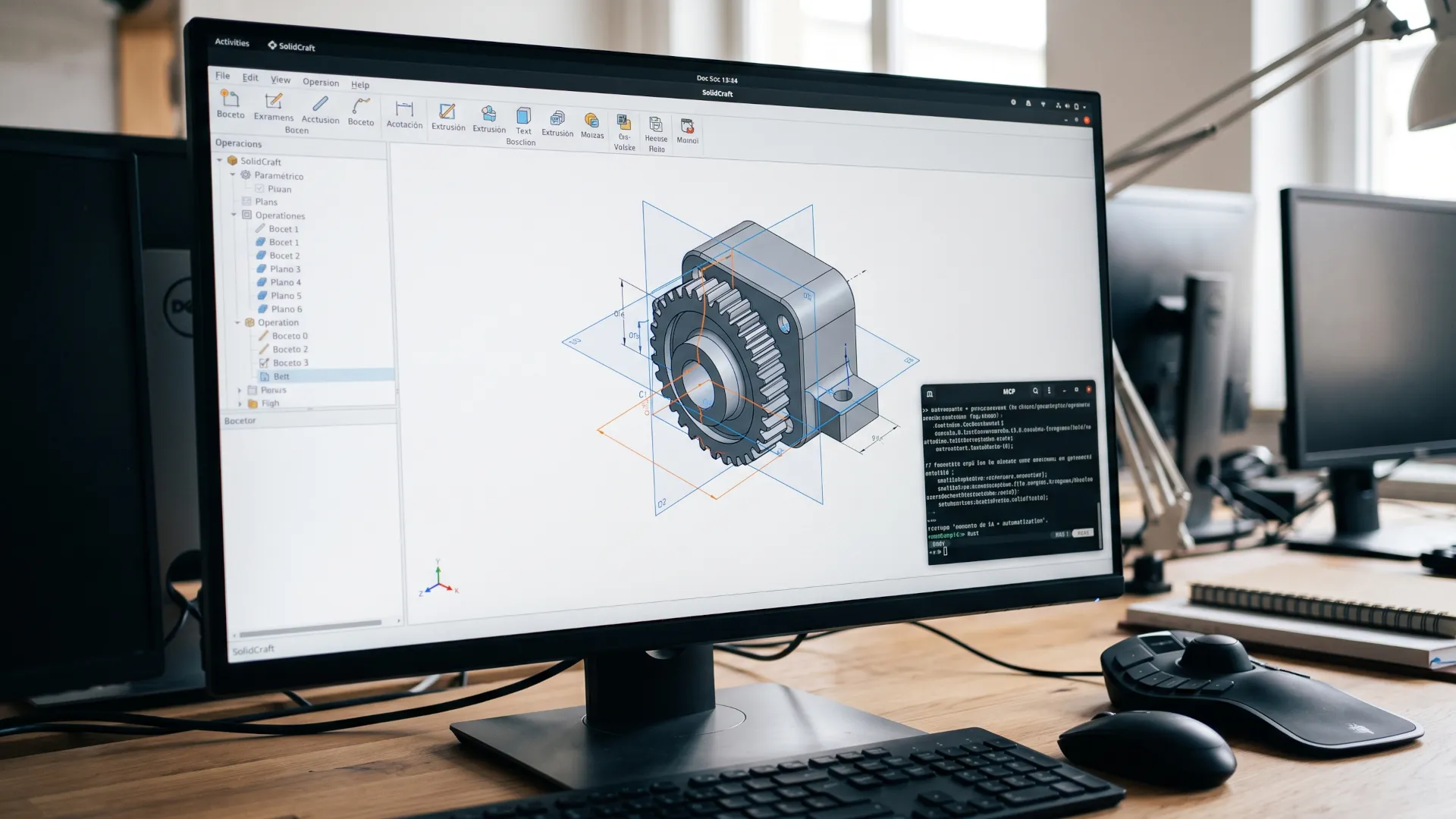
SolidCraft is parametric software in the classic sense, according to its official website. You draw a sketch on a plane, dimension it and turn the profiles into solids with a tree that recomposes when a measurement changes. The program mimics the workflows of other CAD, so the gestures feel familiar.
The geometry kernel is Truck, a B-rep library created in Rust under the Apache 2.0 license. The interface is built with egui and wgpu, and the platform coverage is broad: an installer for Windows, a universal image for macOS and AppImage, .deb, .rpm and Flatpak on Linux.
The web version opens in the browser with WebGPU or WebGL2, and that allows you to show a model to a colleague without them installing anything. Designs are saved in proprietary files and from there you can export STEP or IGES formats, 3MF and STL meshes, and URDF for robotics.
One hardware detail matters to anyone with a 3D mouse. The application detects SpaceMouse devices via HID and moves the view by tilting the cap. On Linux you need a udev rule, and Flatpak does not expose those devices, a detail still to be fixed.
SolidCraft's MCP
In SolidCraft, every interface action goes through the same command, whether it comes from the toolbar, a dialog or the agent server. An agent does not get a second-class API; on the contrary, access is native and designed from the very start.
The server speaks MCP over stdio with JSON-RPC 2.0 and supports the 2024 and 2025 protocol revisions. In headless mode, the CLI starts its own session; with the connection option it hooks into the open application so you can watch the agent model.
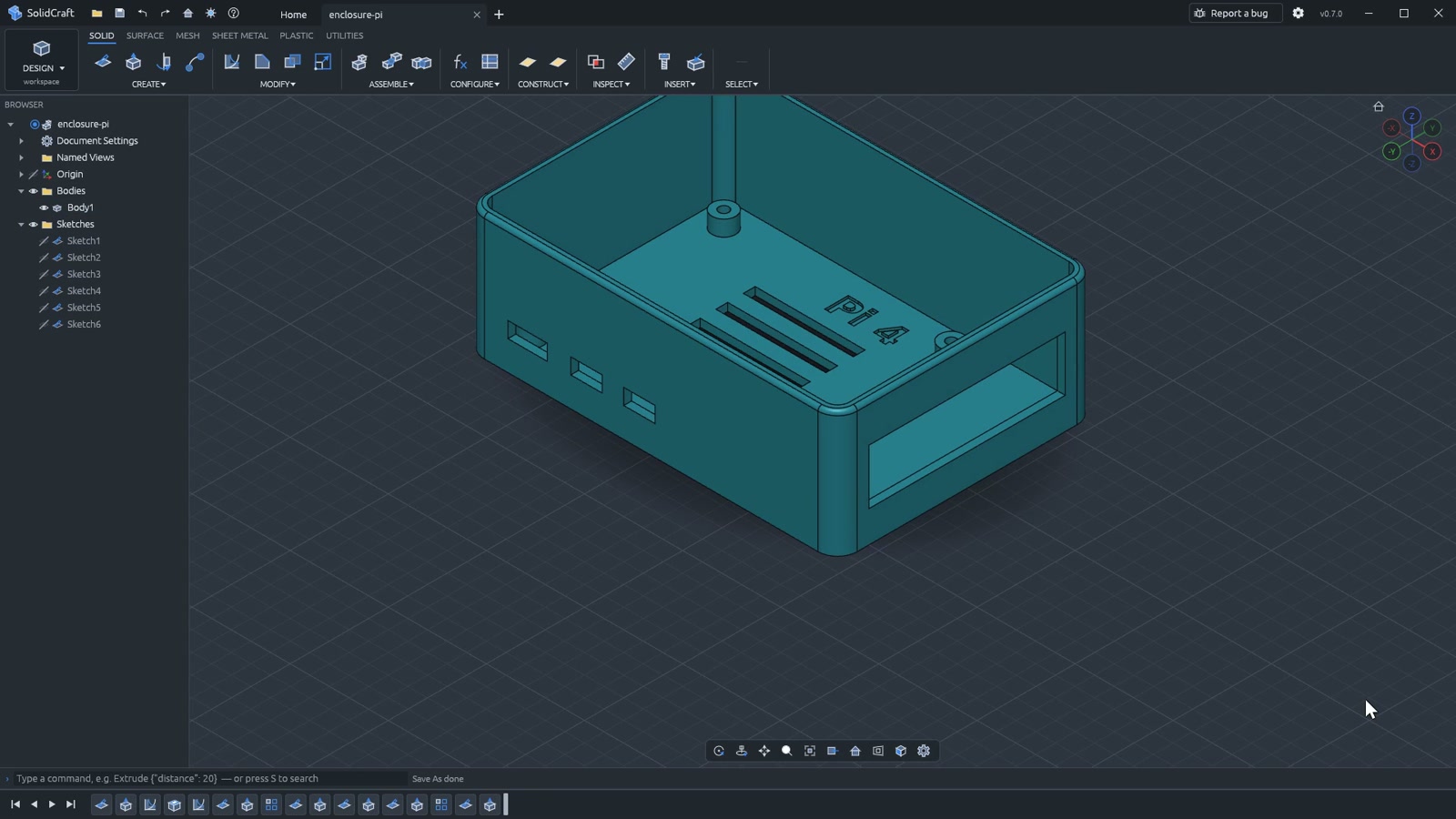
SolidCraft interface
The documentation lists fourteen tools so far. Five write nothing and simply report: the command catalog, the design summary with its history, the measurement of volume, area and masses, the body topology and the crash reports.
The rest modify the design. Some are reversible, such as changing a parameter or undoing. Others can read, overwrite or delete files, and are therefore marked as destructive: executing commands, opening, saving and exporting, capturing the screen or starting a new design.
Batch mode deserves separate mention: it runs a list of commands in order, stops at the first error and undoes what was completed. To try it with Claude Code, a single setup command is enough. The repository includes agent skills for modeling, editing and checking mechanisms.
What can an agent touch?
The permission design is where the caution shows. The tools only read, write or delete inside the directory of the open design, and only if it is inside your home folder.
So your entire home and anything above it are out of reach, as are hidden paths and invisible files such as a `.env`. There is an explicit exception for those who know what they are doing.
The tool that changes the conversation is the screenshot: an image of the model or the window, with camera, framing and resolution, and in headless mode it renders with the GPU. Without that piece, a CAD agent works blind. One user recounted that he had abandoned OpenSCAD because the model does not reason about what it cannot see. Here the agent can look at the result, measure it and correct the next operation, which is the loop that was missing.
Nor does the agent work blind with respect to the user. The application includes a side panel that converses with the agent you already use, whether Claude Code or Gemini CLI, or with a model behind an OpenAI-compatible API, including Ollama and LM Studio locally.
The SELENE rover, a baptism of fire
Of course, an eleven-day-old CAD needs testing, especially considering tools like AutoCAD that have more than 40 years of development behind them. And at this point, SolidCraft has stood out masterfully. The public benchmark is 76 parts: 75 match the analytical calculation or FreeCAD in volume, area, center of mass and bounding box, and the remaining one is listed as a known failure. A problem to fix in future versions.
The project's README warns that these checks do not prove geometric or workflow equivalence. A part that matches in volume does not guarantee that the tree recomposes the same way after changing a dimension, which is where other free programs, such as FreeCAD, have struggled for years. Years, but SolidCraft has done it in 11 days, and it only fails one test out of 76.
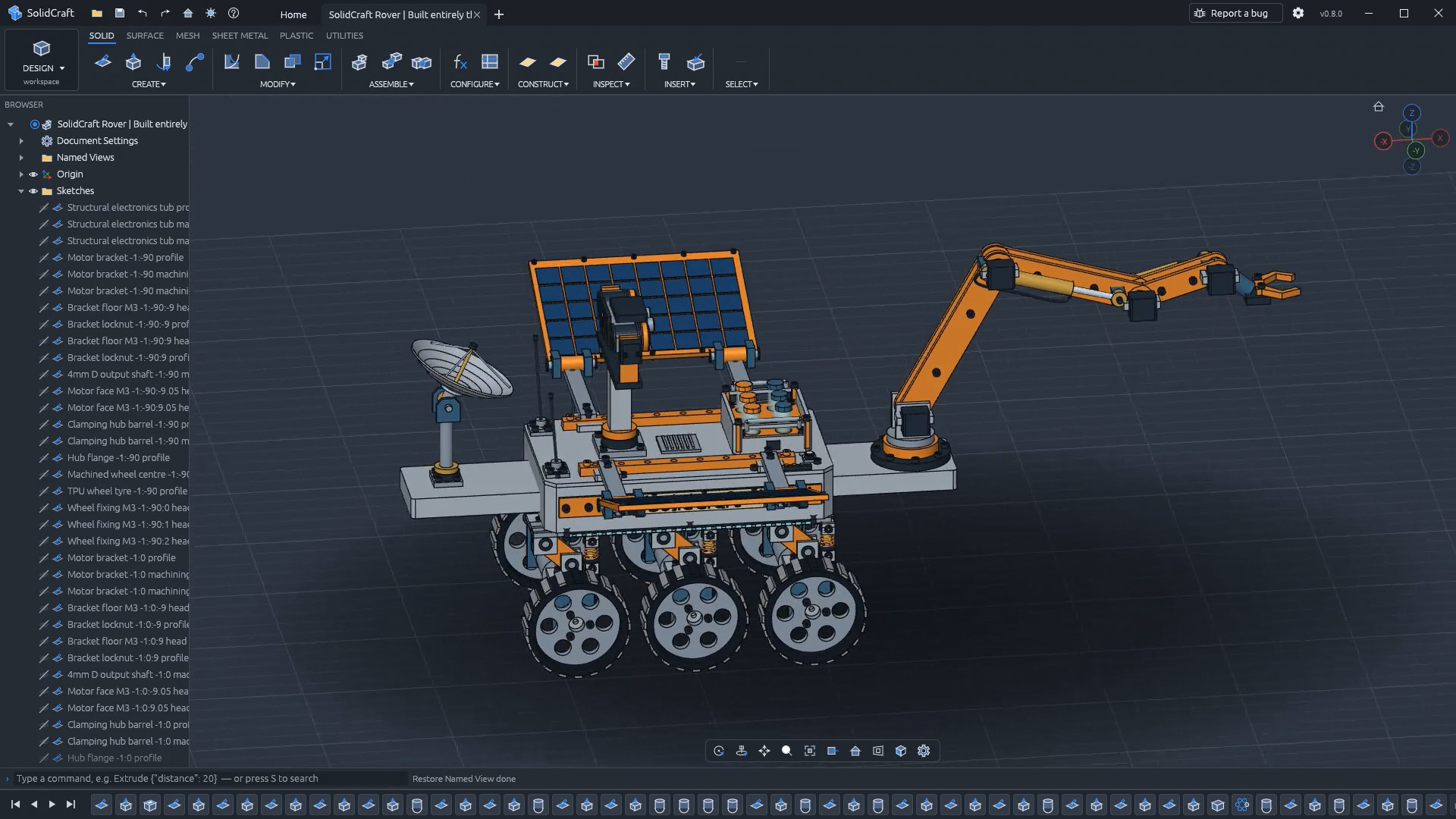
However, SolidCraft's best sales pitch is a rover. SELENE, a scientific vehicle modeled entirely through the MCP server, adds more than 3,300 editable steps to the history that rebuild without errors. It is not a dead file exported by an agent, but a parametric design that a person can open, touch, recompose or break. You can watch the demo video at this link, and if you have worked with CAD, it will seem like a more than convincing demonstration of SolidCraft's enormous potential.
SELENE rover, the greatest demonstration of SolidCraft's capabilities and potential
The SMLib port and the problem of edges
Solid geometry is not this project's merit: the kernel is Truck, and the rest, from the solver to the command engine, is its own. Its behavior in booleans and rounding is far from that of commercial kernels.
That is where the most ambitious move comes in. The author opened a second repository to port to Rust the CAD subset of SMLib, the kernel NVIDIA released in early October as USD BRep under Apache 2.0. SMLib came out of Solid Modeling Solutions, acquired by NVIDIA in May 2022, and had been in the ClassCAD program for more than twenty years, according to DEVELOP3D.
In the discussion, the author described the port as a direct translation of the released code, with a split in which each contributor takes one function. The promise is big, because a reliable kernel in Rust compatible with WebAssembly would solve the weak point of free CAD.
What will decide whether it is still alive in five years
The roadmap for SolidCraft's future is published and unadorned, with the first milestones completed and the rest in progress. The author has already said what he does not plan to do: slicing models for 3D printing, because the result depends on the filament and each printer. Instead there will be a button to open the part in the slicing program the user already has.
For those coming from the world of agents, the useful reading is not in CAD, but in the pattern: a niche desktop application suddenly finds a distribution channel by exposing its commands to an AI client. That path has an uncomfortable condition: the engine holds up only as far as the geometry underneath it, and that piece is still borrowed. If the SMLib port works, the project will have something no one else offers. If not, it will remain a young and useful tool for simple parts.