If you are a Microsoft Windows user, especially of Windows 11, you have surely come across some very annoying things in that operating system. From invasive telemetry, advertising, limited options, extreme slowness and pointless resource consumption, all of it affecting especially "old machines", which until recently, with Windows 10, had no problem at all.
The truth is that Microsoft is getting it badly wrong with Windows and its development strategy, above all for focusing so much on Azure and AI, forgetting its beginnings and what took it to the top: its Windows operating system.
But in the face of this situation, the world of free software keeps moving forward and improving its offerings, and in this article we want to show you one of them: Fedora KDE, a free operating system developed by a community backed by the US company Red Hat, and which has become a benchmark for enterprise quality. A strong proposition that lets users accustomed to Windows transition without so many problems, recovering "old machines" and, above all, giving them back control of their computers and their digital lives.
Fedora, a distro with plenty of substance
Talking about Fedora means talking about one of the most important pillars of the Linux ecosystem. After all, this distro, or version of Linux, not only serves as a robust and cutting-edge distribution, but also as the innovation laboratory where the future of Red Hat Enterprise Linux (RHEL) is cooked up. Its presence and relevance are such that Linus Torvalds himself, creator of the Linux kernel, uses Fedora to carry out the work that drives hundreds of millions of devices around the world.
Europe's Open Source First plan threatens to suffocate free software
From academic project to the heart of Red Hat
To understand the birth of Fedora, you have to go back to the early 2000s. At that time there was Red Hat Linux (RHL), the commercial distribution aimed at all kinds of users that the Red Hat company had maintained since the 1990s.
Meanwhile, in 2002, a university student named Warren Togami created a volunteer project called Fedora Linux. Togami's initial goal was not to create a new operating system, but a centralized repository of high-quality software packages created by the community to complement Red Hat Linux. The name "Fedora" referred to the famous felt hat worn in the Red Hat logo, a fedora hat.
The turning point came in 2003. At that time, Red Hat decided to make a drastic shift in its business model: it discontinued Red Hat Linux to focus exclusively on the corporate market with the launch of Red Hat Enterprise Linux (RHEL). In order not to abandon the huge community of ordinary users and developers, Red Hat decided to merge its code base with Togami's project.
From this union the Fedora Project was born, funded by Red Hat but largely governed by the community. The first version, Fedora Core 1, was released in November 2003, inheriting the robustness of RHL but adopting a much faster, more community-driven release pace.
Fedora's great revolution
In its early days, the project was divided. Red Hat maintained the essential system packages (Fedora Core), while the community maintained the optional packages (Fedora Extras). This division created friction, so in 2007, with the release of Fedora 7, both repositories were merged into one, dropping the word "Core" and fully democratizing the development of the system.
By the 2010s, the technology ecosystem had changed with the arrival of the cloud and containers. Fedora realized that a single general-purpose distribution was no longer enough. With the Fedora Next initiative (introduced in Fedora 21), the project was restructured into three differentiated products aimed at specific use cases:
- Fedora Workstation: Focused on the desktop for developers and end users.
- Fedora Server: Designed for local servers and data centers.
- Fedora Cloud / Atomic: Optimized for cloud and container environments (which would later evolve into immutable technologies such as Fedora Silverblue and Fedora CoreOS).
With this, Fedora earned a reputation as the distribution that dares to implement cutting-edge technologies before anyone else. It was a pioneer in adopting the Wayland display server, the PipeWire audio and video server and the Btrfs file system by default, and in pushing the adoption of universal packaging formats such as Flatpak. And far from being an unstable system because of such advances, it proved that you could be at the technological frontier while maintaining reliability.
The project's vision: Fedora's Four Foundations
Today, the Fedora Project's vision is not limited to "making an operating system". Its course is strictly guided by a manifesto known as the Four Foundations:
- Freedom: The project is committed exclusively to free and open source software. Fedora does not include proprietary software natively in its main repositories and fights to promote free global alternatives.
- Friends: Fedora is a global and diverse community. Respect, collaboration and shared success among community members and other open source projects are vital.
- Features:Instead of keeping obsolete technologies for convenience, Fedora pursues technical excellence. It develops and adopts advanced features that then benefit the entire Linux ecosystem (including rival distributions).
- First: The project's implicit motto is "Innovate, don't replicate". Fedora seeks to show the way, always offering the latest stable versions of the Linux kernel and desktop environments, demonstrating the state of the art of free software in real time.
Today, Fedora has left behind the old myth of being a "difficult" or purely niche distribution. It has established itself as the preferred platform for thousands of software engineers, system administrators and enthusiasts looking for a modern operating system, immutable in its next-generation variants, and deeply committed to open source values.
End of the DeFi utopia? AI destroys its security, according to Manuel Aráoz
Fedora KDE, a perfect option for migrating from Windows
So if you are thinking about or have considered making the leap to Linux but are held back by the fear of finding a strange interface or a steep learning curve, Fedora KDE is undoubtedly your best destination. This official Fedora edition combines the project's robustness and technological innovation with one of the most powerful and familiar desktop environments in the open source world.
Compelling reasons to migrate
Here are the reasons why it is the ideal option for Windows users:
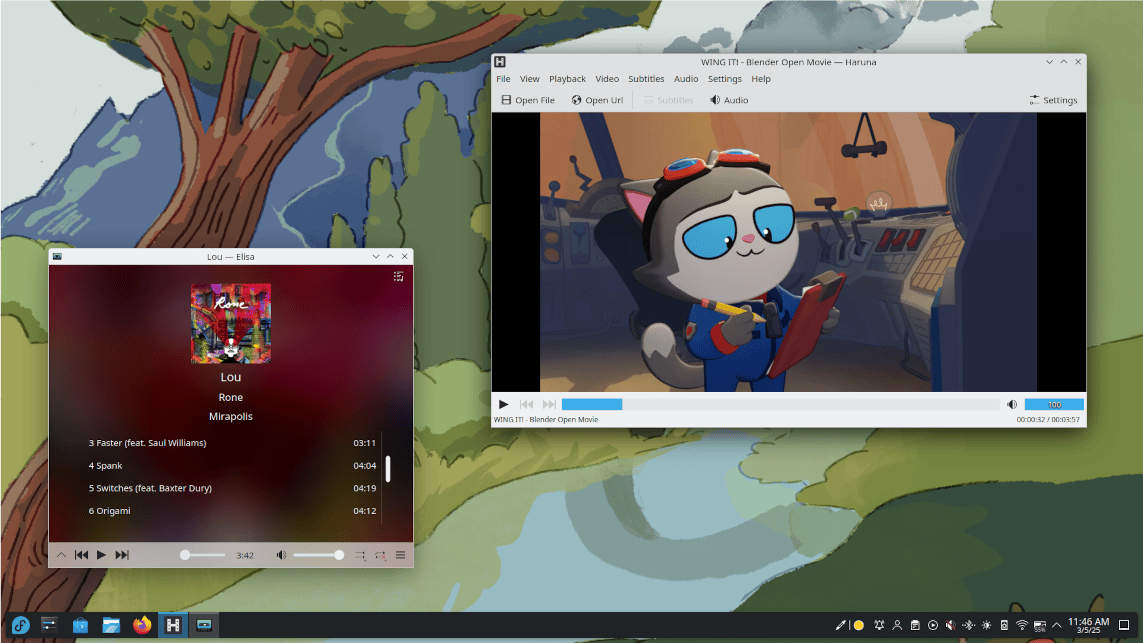
- Familiarity from the first minute: Visually, KDE Plasma feels like home. It has a bottom taskbar, a clean and recognizable start menu, a system tray on the right and window management that replicates the logic you are already used to in Windows 11 or 10. You won't have to relearn how to use your computer.
- Limitless customization: Unlike the rigidness of Windows, if there is something you don't like about KDE, you can change it. From the look (with a single click you can apply dark themes, change icons or emulate the appearance of any other system) to keyboard shortcuts and file explorer behavior. The system adapts to you, not the other way around.
- Performance and efficiency: Despite its modern visual finish and smooth animations, KDE Plasma is surprisingly light in RAM consumption.
- "Discover" software center: Forget searching for .exe installers on dubious websites. Through the Discover store, installing applications such as Chrome, Steam, VLC, Discord or office suites is as safe and simple as using your mobile phone's app store. You just open Discover, search for the software and with one click you can install it, and with more than 40,000 software packages (programs), you will practically find any tool you need.
- Invisible technical cutting edge: By inheriting Fedora's philosophy, you get an extraordinarily modern system inside (with excellent support for multiple monitors, high-resolution screens and latest-generation graphics compatibility), but wrapped in a friendly and mature outer layer.
Tutorial to set up WireGuard and protect your online privacy for €2 a month
How to download and install Fedora KDE?
If everything Fedora KDE offers has caught your attention, you can start your journey by downloading the system from its official website.
Once there, click on "Download Now" to start downloading the system. There you will have several options, the most common (and the one you will probably need) being the AMD64 option, which is the most common architecture in computers today. Once you download the system you will need to write it to a USB disk or pendrive, something you can do with programs such as Rufus or Balena Etcher. Be careful to back up any information you have on your computer and the USB disk, since the process of writing the system to both media will erase all information if you are not careful.
Starting the installation
Once the image is written to the USB disk and your computer's data is backed up, you will need to restart it and begin the installation process. Here, things get a little complicated. Why? Because every PC has its own way of entering the BIOS/UEFI, a minimal system in charge of initializing your PC that you will need to access to start the installation.
Normally, during computer startup it is enough to press one of these keys: F8, F10, F12 or DEL. These are the most common keys that give access to the BIOS/UEFI, and you will know you have accessed it because you will see a selection menu like the following:
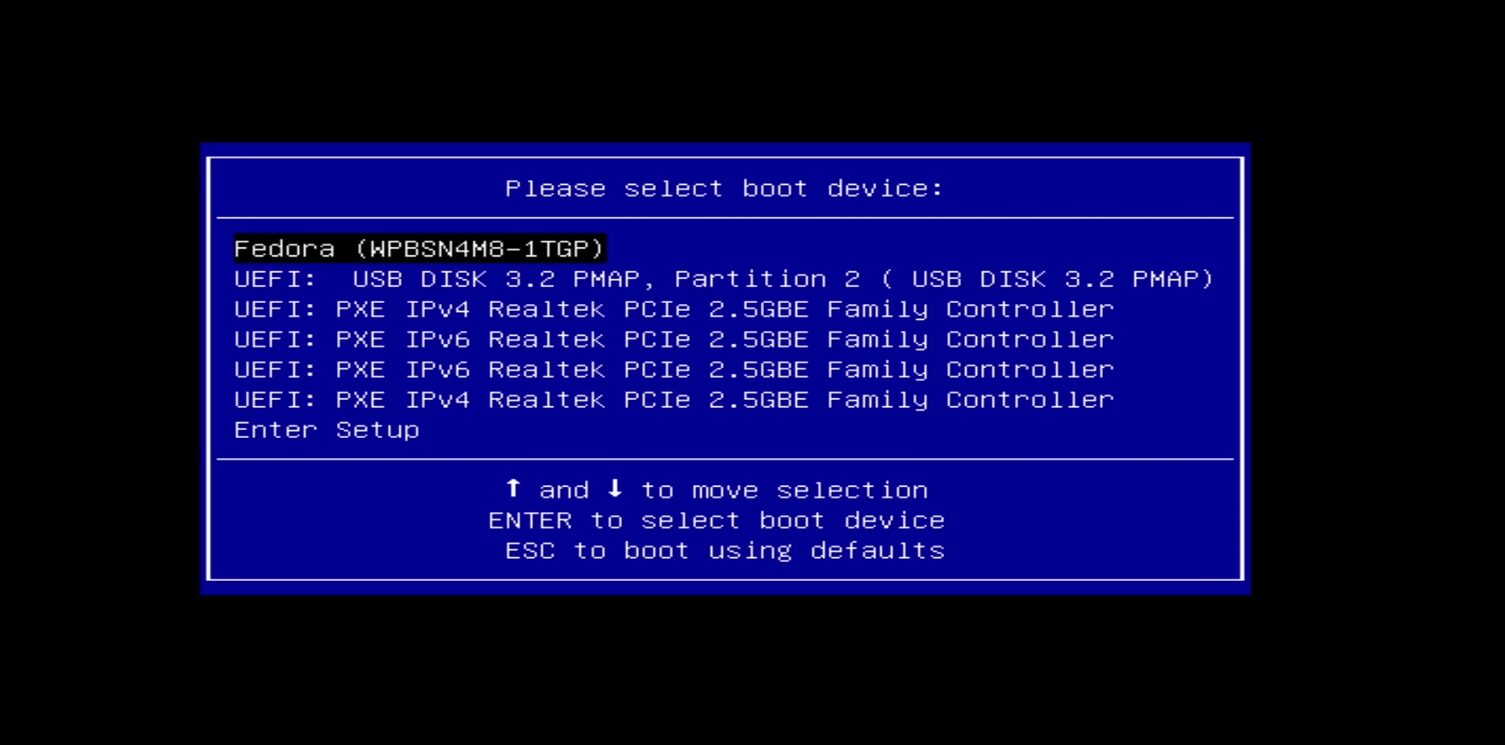
Here it is easy to see the option you must choose to continue with the installation process: FEDORA. Select it and press ENTER, and the installation process will begin, offering you a fully graphical environment to do it very easily:
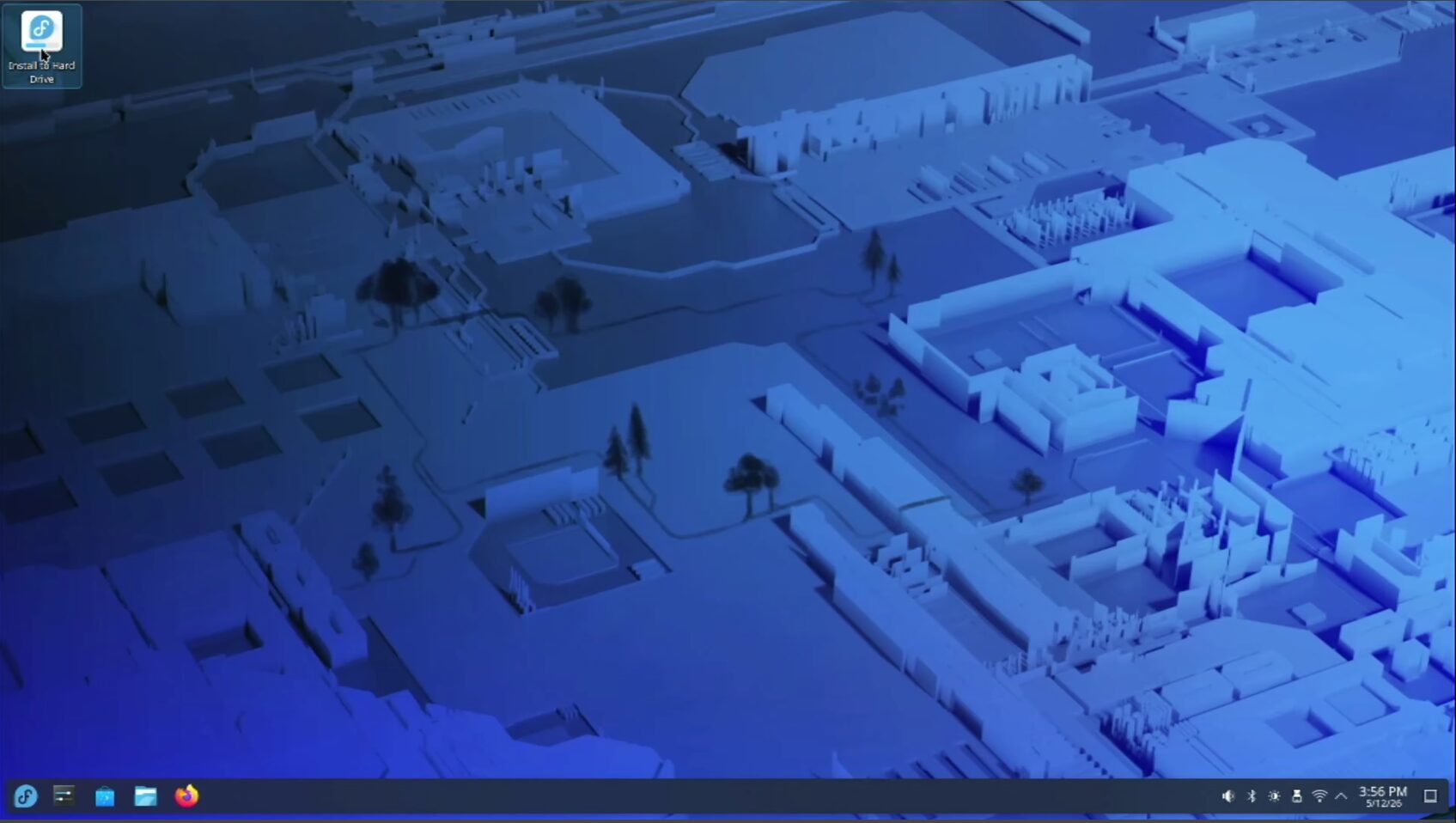
The process is fully guided, and the first thing you will be asked is to indicate which disk you are going to use for the installation. In this case, we will tell it to use the entire disk it has detected. This will erase our Windows installation completely. Dual installations are possible, but if you are new to Linux, I don't recommend it, since Windows tends to break Linux's boot, or failing that, Windows detects the change and stops starting correctly. Repairing that can be complex, so in this case, we will choose the Entire disk option
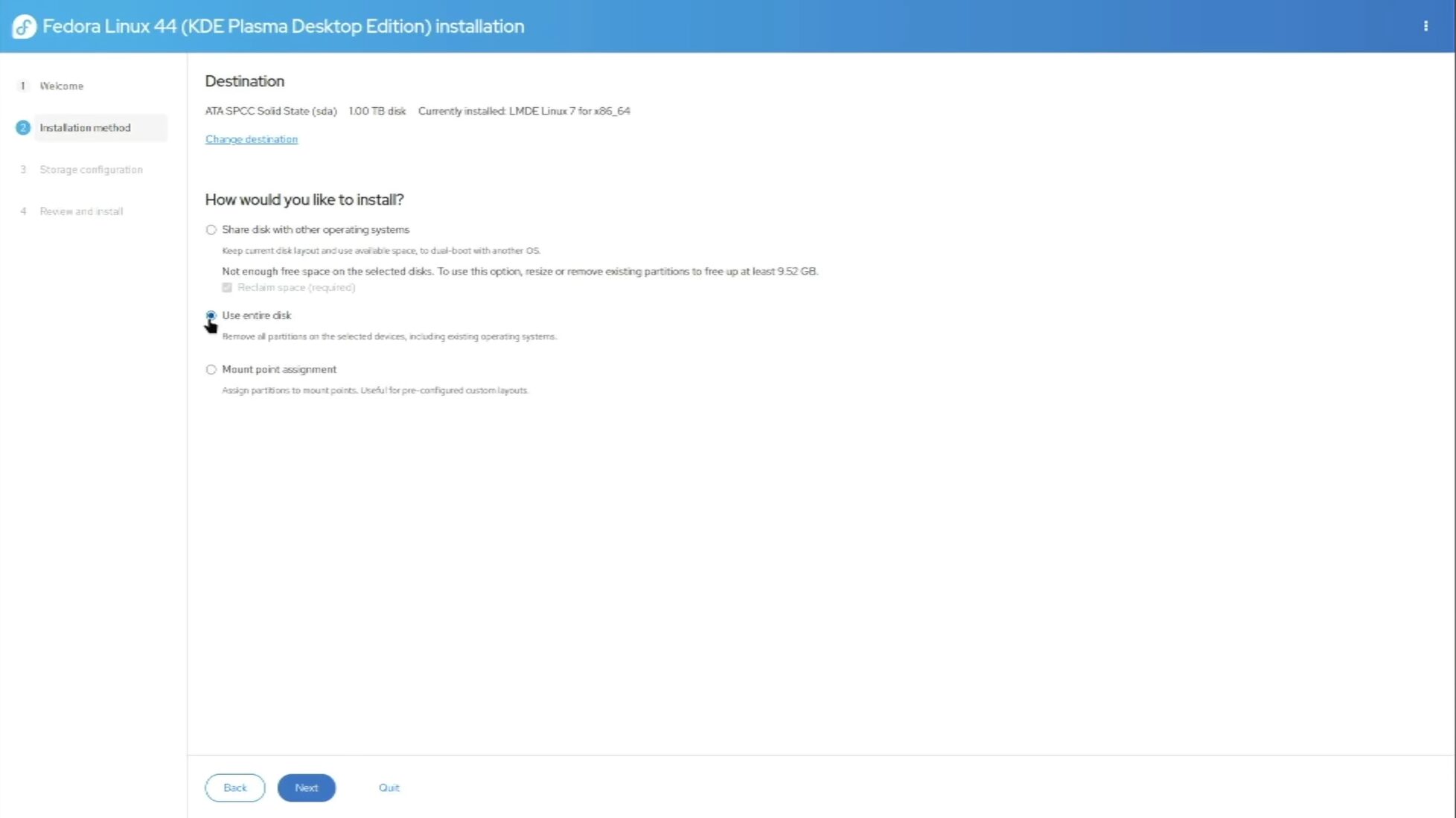
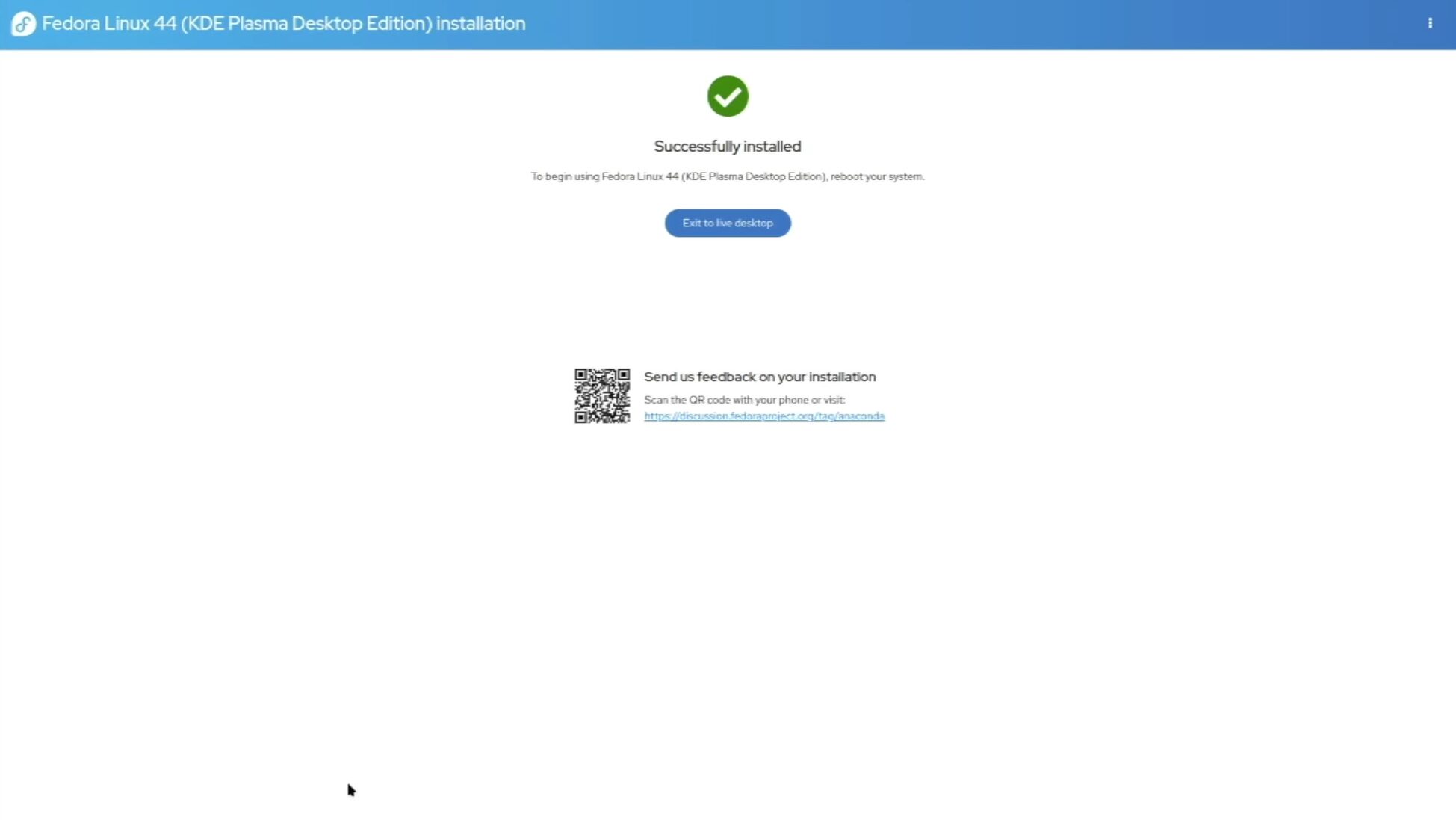
Once this is done, it will ask you to confirm the changes, you just have to accept them and click Next. This starts the automated installation process and you only have to wait for it to finish, after which you will see the success screen and will have to restart the PC.
Enjoy Fedora KDE in all its splendor
On startup you will begin the post-installation process, which will ask you to set a username and password, along with other basic data, such as the language you want for the system, the keyboard language, whether you want a light or dark theme for the interface, the location and time zone (important, because it is used for secure connections) and, after finishing the guided configuration tour, you will have the system ready to start exploring Linux.
The system already comes with preinstalled software so you won't miss anything. Web browser? Firefox. File browser, file compressor, built-in Wi-Fi and Bluetooth manager, ability to connect your Android smartphone and use apps directly from the KDE desktop, video viewer, audio player. And antivirus? In Windows you can't live without antivirus software, but in Linux you don't need it, the system is much more secure by default, and more similar to MacOS, where antivirus software is rarely used, with few exceptions.
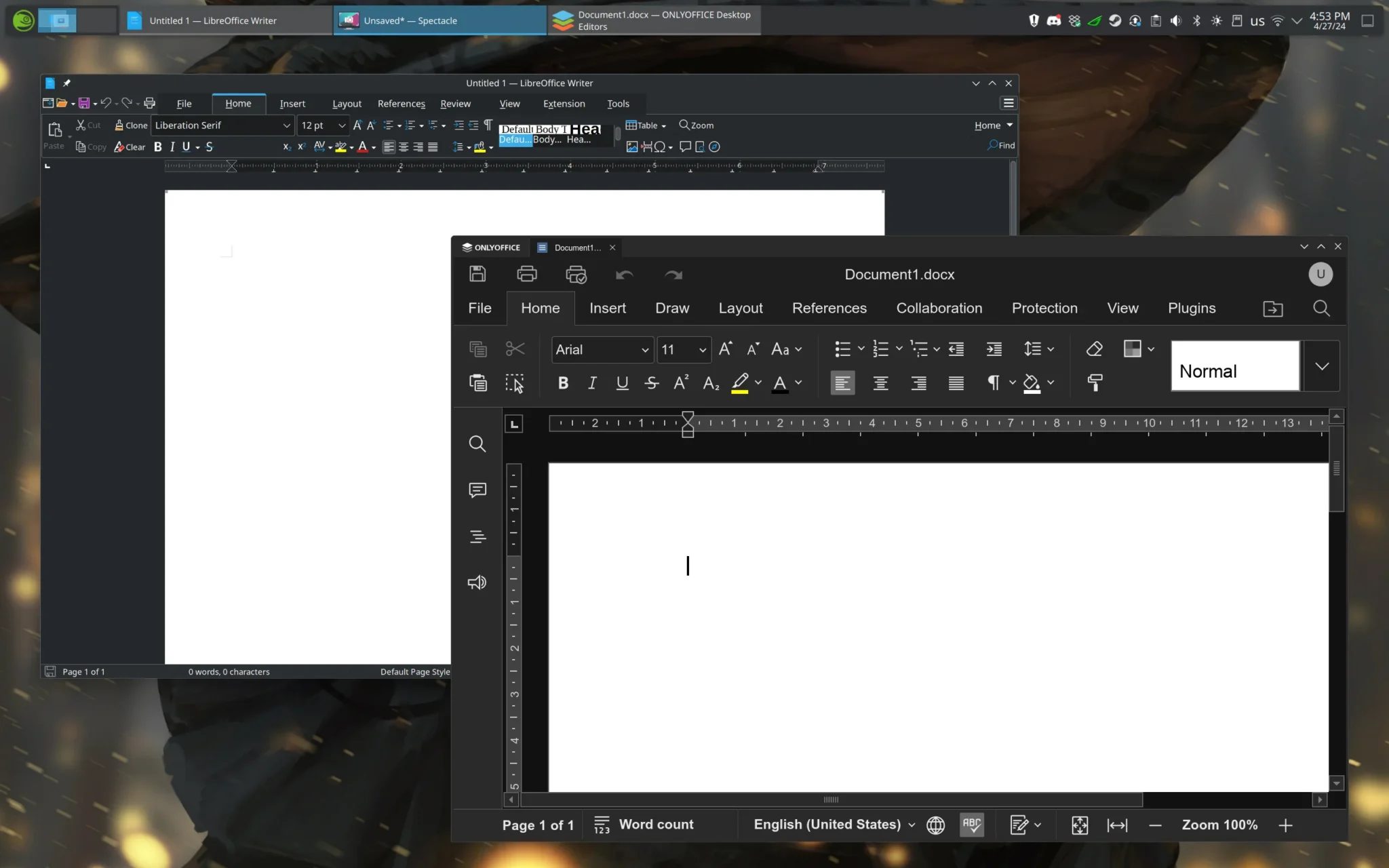
If you want to install additional applications, the Discover store has everything, both at the level of what the Fedora distribution offers (more than 40,000 programs) and Flatpak (where there are more than 3,000 applications), which you can use by following the instructions on its official website, and with which you can install software such as Chrome, Steam, Discord, WPS or OnlyOffice to forget about Microsoft Office, among other software options that are there completely free and, above all, safe and virus-free.
This is Linux now, and the best of all is that it is free, thanks to a global community that works together and loves doing this work.